Arrived and Done
Who can do this: Owner, Admin, Staff
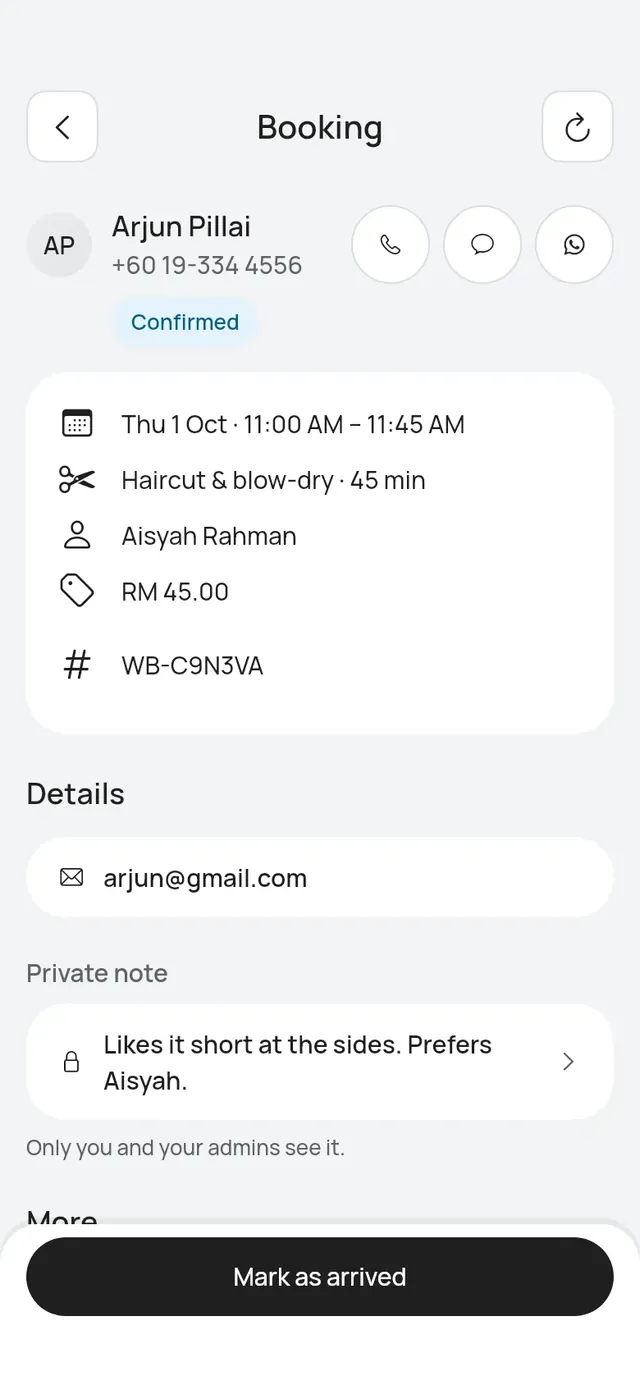
Mark as arrived
From 2 hours before the start, a confirmed booking shows Mark as arrived. Before that, it shows Check-in opens at and the time.
If Start bookings early is on, a booking later today shows Mark as arrived straight away. The booking keeps its time. On Today or in the list, you can also tap … on the row and choose Mark as arrived. See Start bookings early.
- Open the booking and tap Mark as arrived.
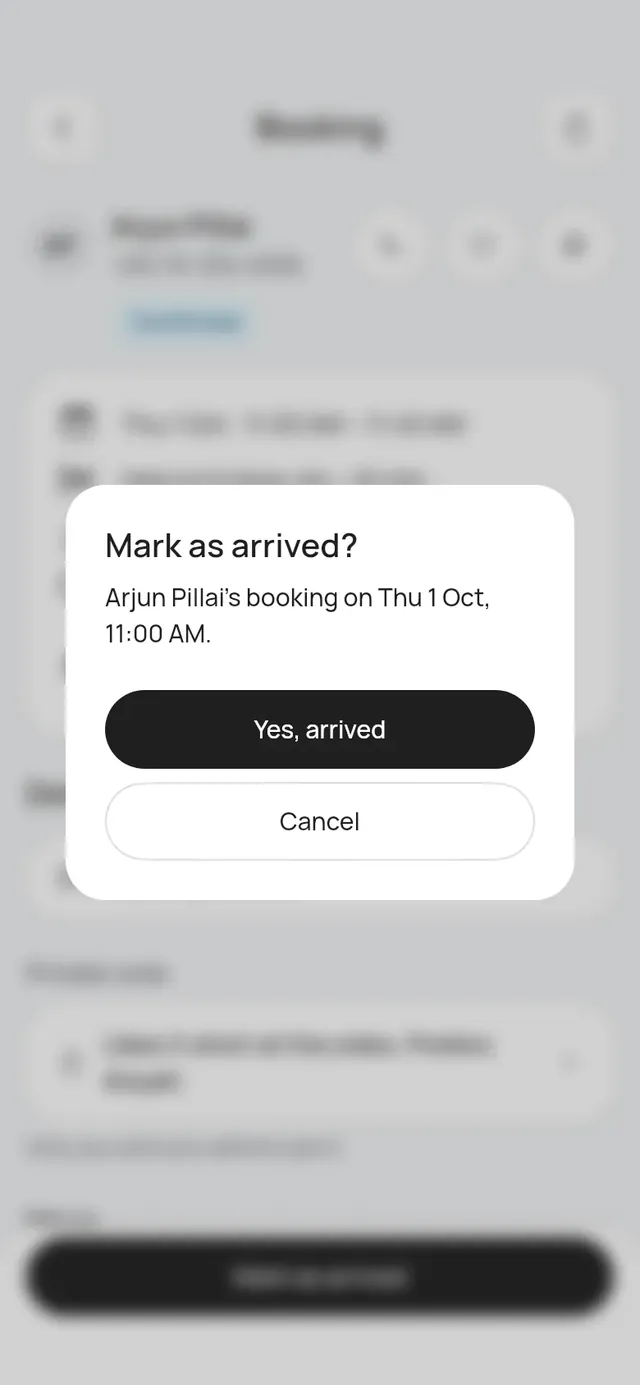
- Tap Yes, arrived.
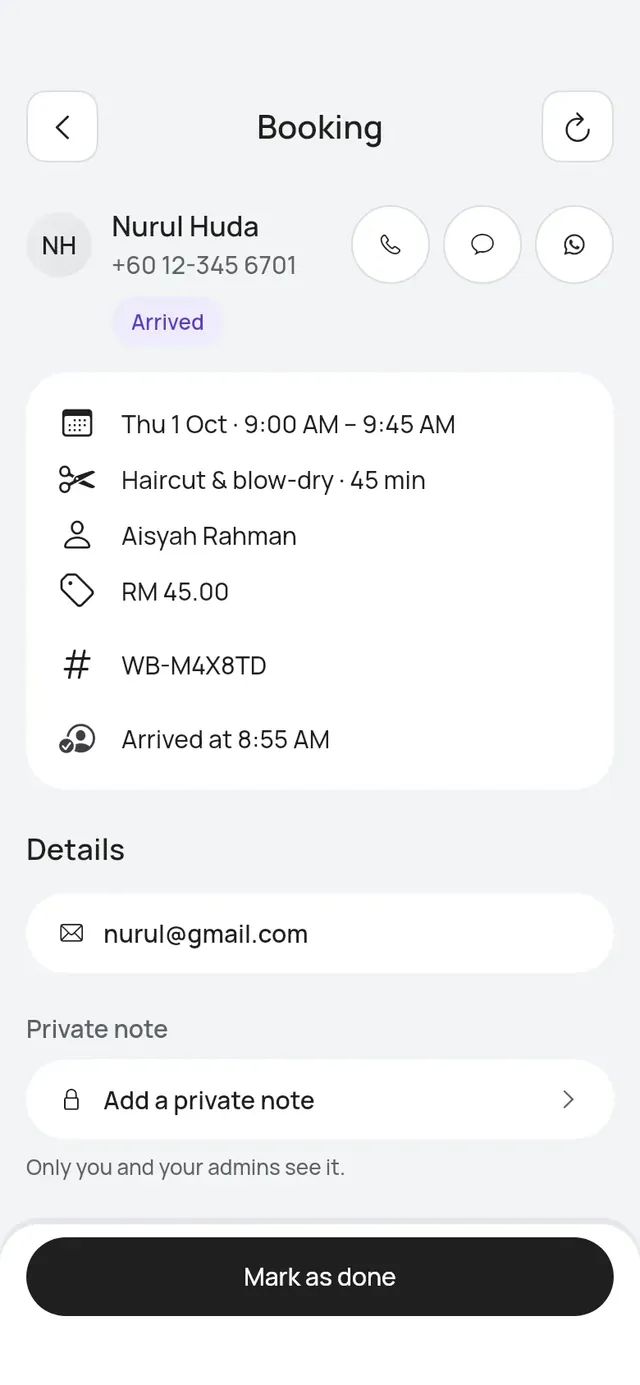
The booking shows Arrived at and the time. It also counts as arrived on Today.
Scan the customer’s check-in code
Every confirmation email has a check-in code attached, and the customer’s booking page shows it too.
- Tap Scan in the middle of the tab bar.
- Point the camera at the customer’s code.
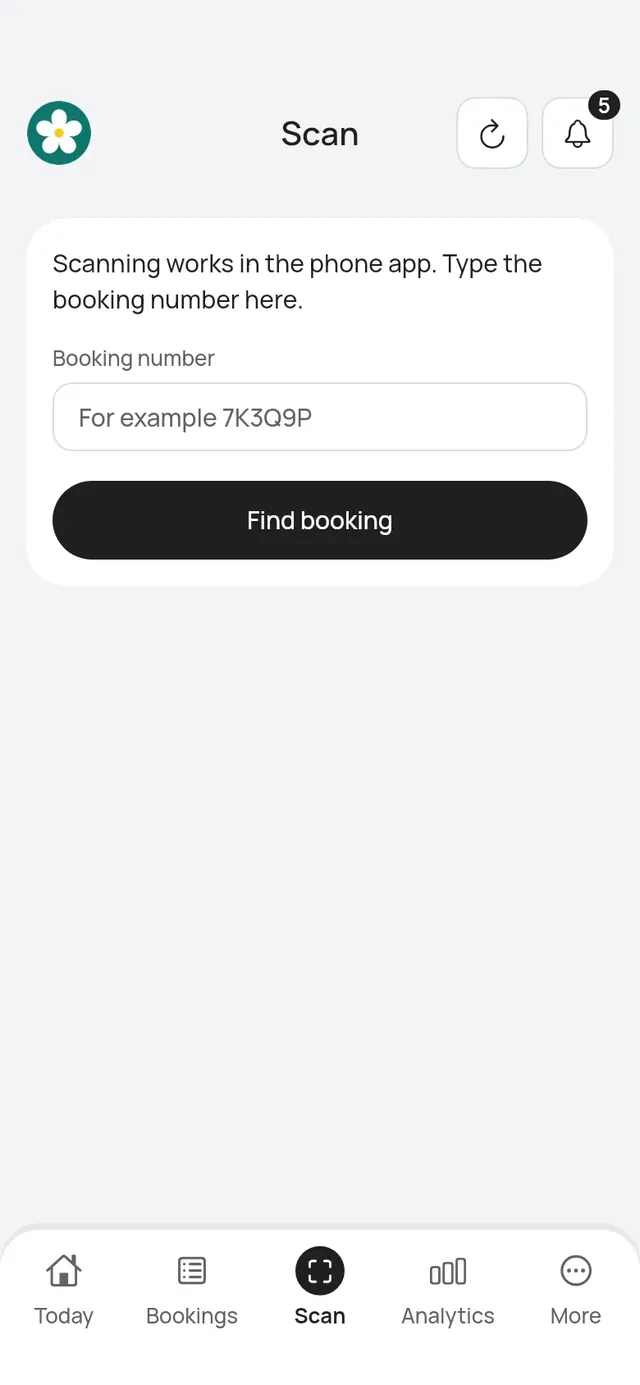
The booking opens with Mark as arrived. If the camera can’t scan, type the Booking number and tap Find booking. A code from another business is not found.
Mark as done
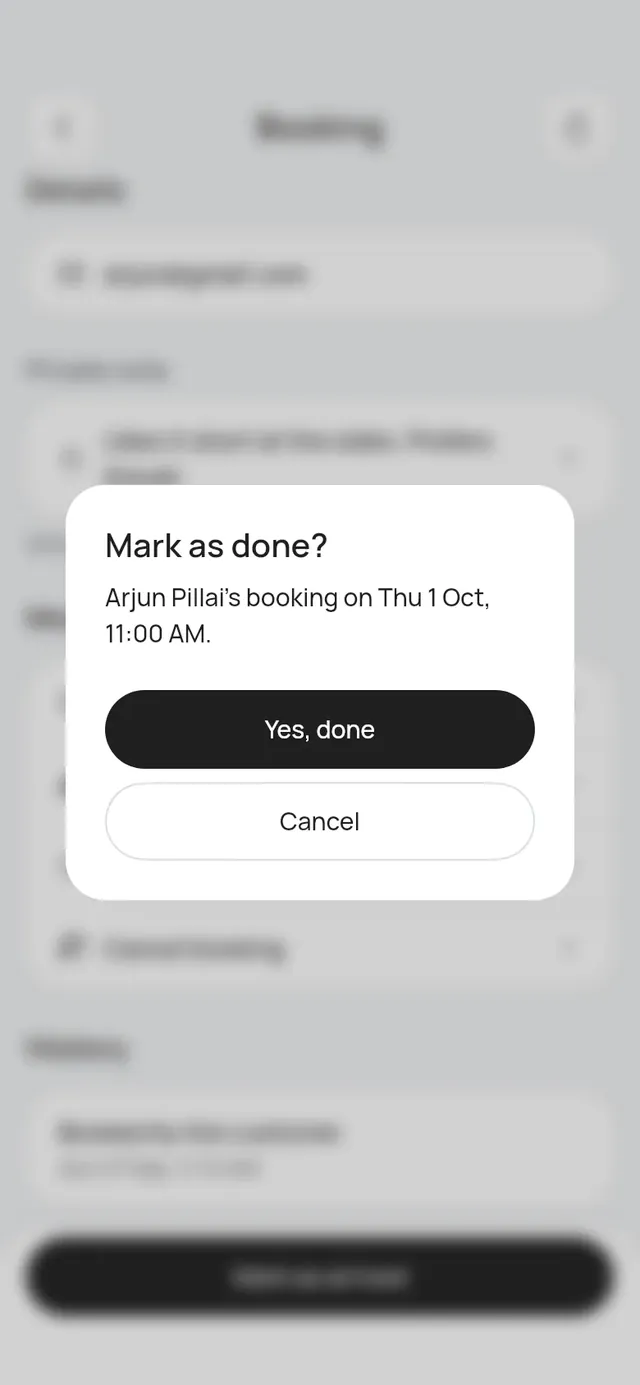
Once the booking has started, tap Mark as done, then Yes, done. If the customer was not marked as arrived, Mark as done is still there after the start time.
Undo Done
Who can do this: Owner, Admin
Marked a visit Done by mistake? For 24 hours after you tap Done, owners and admins see Undo Done under More on the booking. Staff don’t.
- Open the booking and tap Undo Done.
- The app asks Undo Done? and, with loyalty on, says which points are taken back, for example The 60 points for this visit are taken back.
- Tap Undo Done, or Keep it done to leave it.
The booking goes back to confirmed, and its History shows Done undone. You can then mark it Done again, mark a no-show or cancel it. If the customer already used some of those points, the rest are taken back and the member’s history says how many had been used.
After 24 hours, Undo Done is gone. If someone else is now booked at the visit’s time, the app says Done can’t be undone. Another booking now has this time.
Tables: Seat and Table free
For a table booking the buttons say Seat and Table free. Tap Seat when the party sits down, then Yes, seat; the booking shows Seated. When the party leaves, tap Table free, then Yes, free. A walk-in is seated already, so it shows Table free only. See The night by table.
Done and arrived bookings count toward Earned and the Show-up rate in Analytics.