Cancel
Who can do this: Owner, Admin, Staff
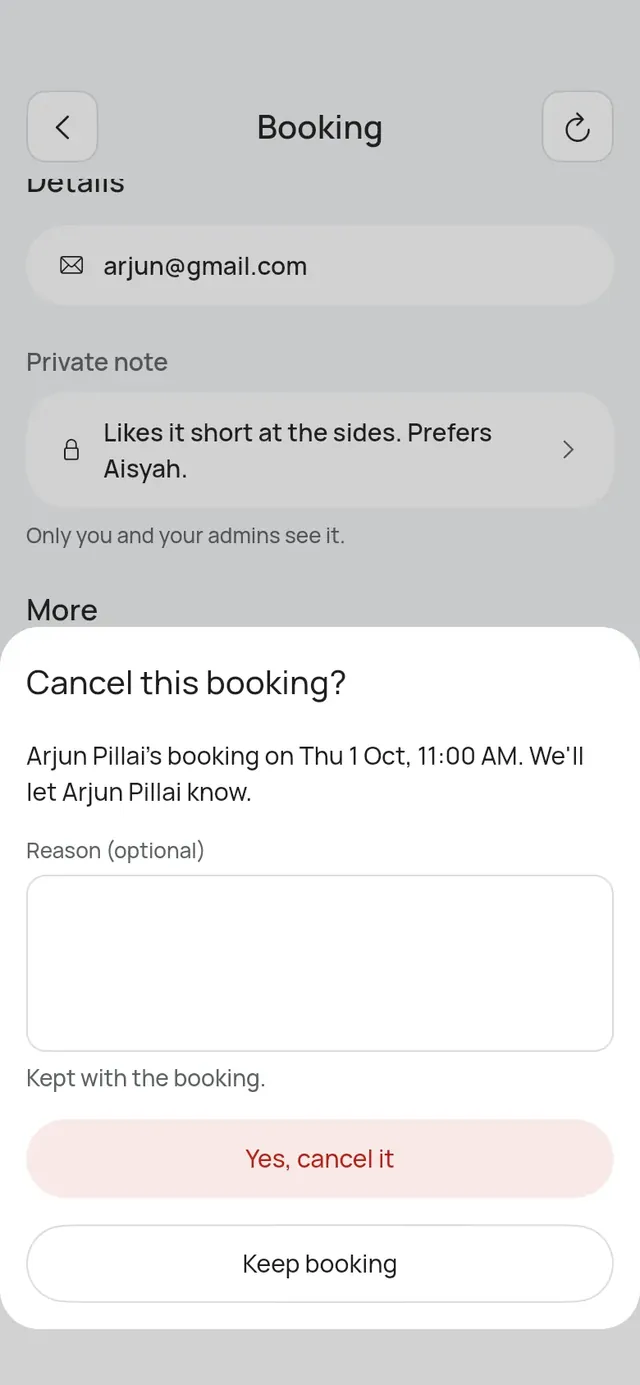
- Open the booking.
- Under More, tap Cancel booking.
- Add a Reason (optional). It is kept with the booking.
- Tap Yes, cancel it. Tap Keep booking if you changed your mind.
For a table booking that holds more tables, the sheet names them first, for example “Cancel Aisha’s Table for 9? T5 and T6 will be free again.”
The app says Booking cancelled. The customer gets a message by WhatsApp or SMS, and by email. Their reminders stop.
A cancelled booking moves to Bookings → List → Cancelled. It can’t be brought back. Make a new booking instead.
When a customer cancels on their own, you see it in Activity and the business gets an email. See Manage, reschedule and cancel.