Move a booking
Who can do this: Owner, Admin, Staff
- Open the booking.
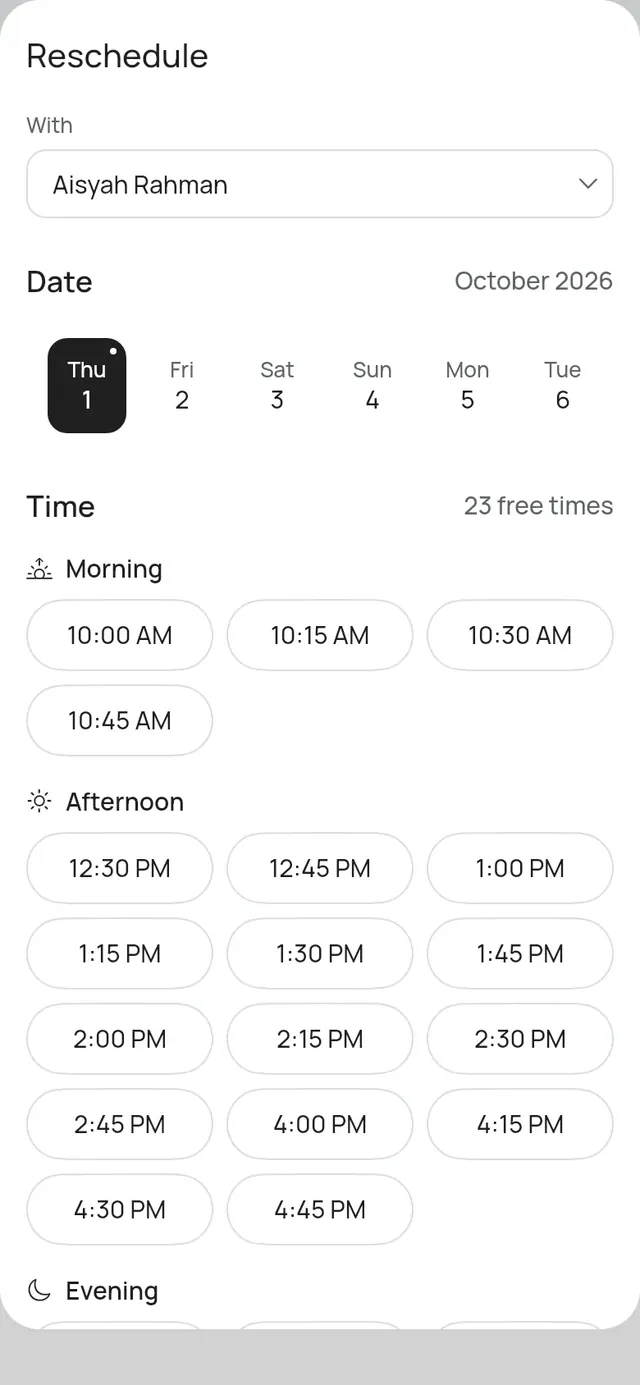
- Under More, tap Reschedule.
- Change With if someone else should do it. Staff move their own bookings.
- Pick the Date and a free Time.
- Tap Move booking.
The app says Booking moved. The customer gets the new time by WhatsApp or SMS, and by email.
Good to know
- Working hours, time off and closures aren’t checked when you move a booking. Clashes with other bookings are.
- You can pick a day further ahead than customers can book. The app shows no free times then: pick a time yourself.
- A booking marked Arrived can’t be moved.
- A court booking keeps its length when you move it.
- A booking of several services moves as one visit: all of them move together, one after the other, as booked. With lists only the people who do every one of its services.
- A table booking moves among the tables at its branch: pick one under Table. It keeps its length. The list shows each table’s seats, with the tables that seat the party first; the app doesn’t stop you choosing a smaller one.
- Moving a table booking to another table at the same time and branch sends the customer nothing, and no message from your plan is used: customers never see which table they have. Your team still gets the push.
- A table booking that holds more tables lets them go when it moves. Before anything is sent, the app asks, naming them, for example “T5 and T6 will no longer be held. You can hold them again from the booking.” Tap Move, or Keep to leave the booking as it is. See Large parties.
- With two or more branches, Move to another branch moves a booking to another branch. See Bookings across branches.