Requests: accept or decline
Who can do this: Owner, Admin, Staff
Staff answer requests for their own bookings. Owners and admins answer every request.
Two kinds of request
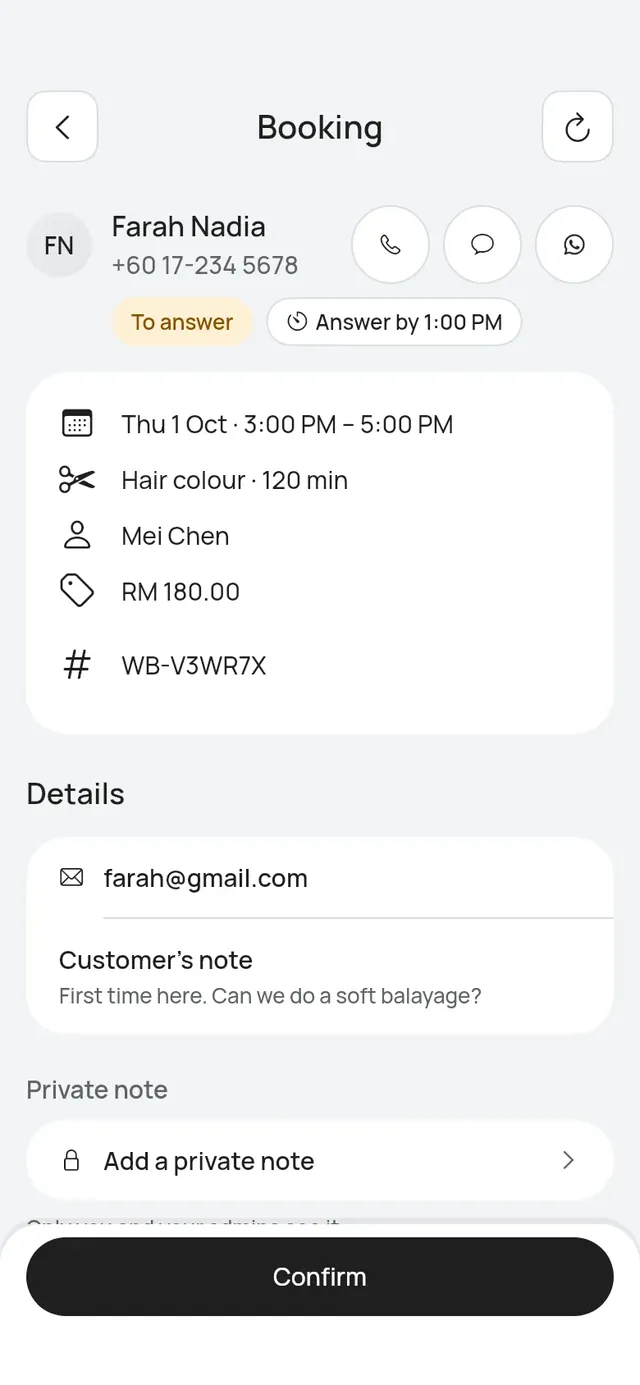
- A booking request (status To answer): a customer asked for a time, and your business confirms bookings by hand. The time is held for the customer until you answer.
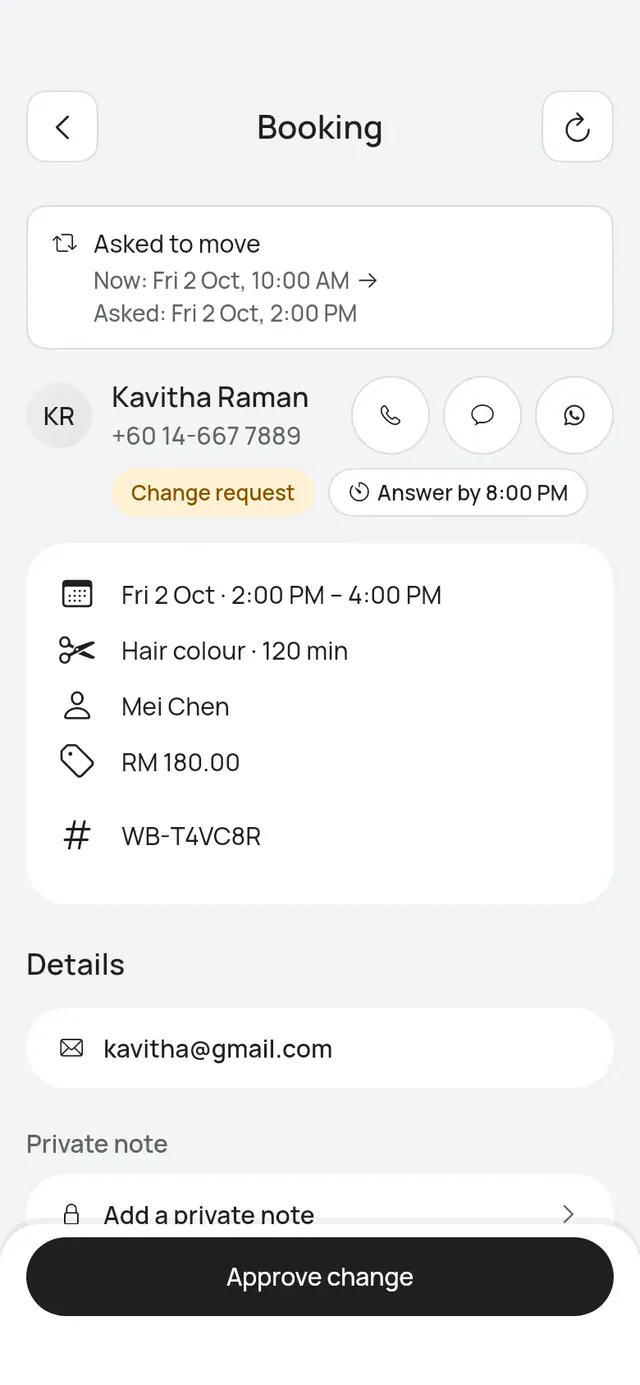
- A change request (status Change request): a customer asked to move a confirmed booking, and your business approves moves. The booking stays at its current time until you answer. The top of the booking shows Asked to move, with Now and Asked.
Each request shows Answer by and the time. If nobody answers by then, the request lapses on its own and the customer is told.
Whether bookings and moves need your OK is one setting, Bookings need your OK. An owner or admin turns it on or off in More → Business profile → Booking rules in the app, or under Booking rules on the web dashboard. See Booking rules.
Answer from Today
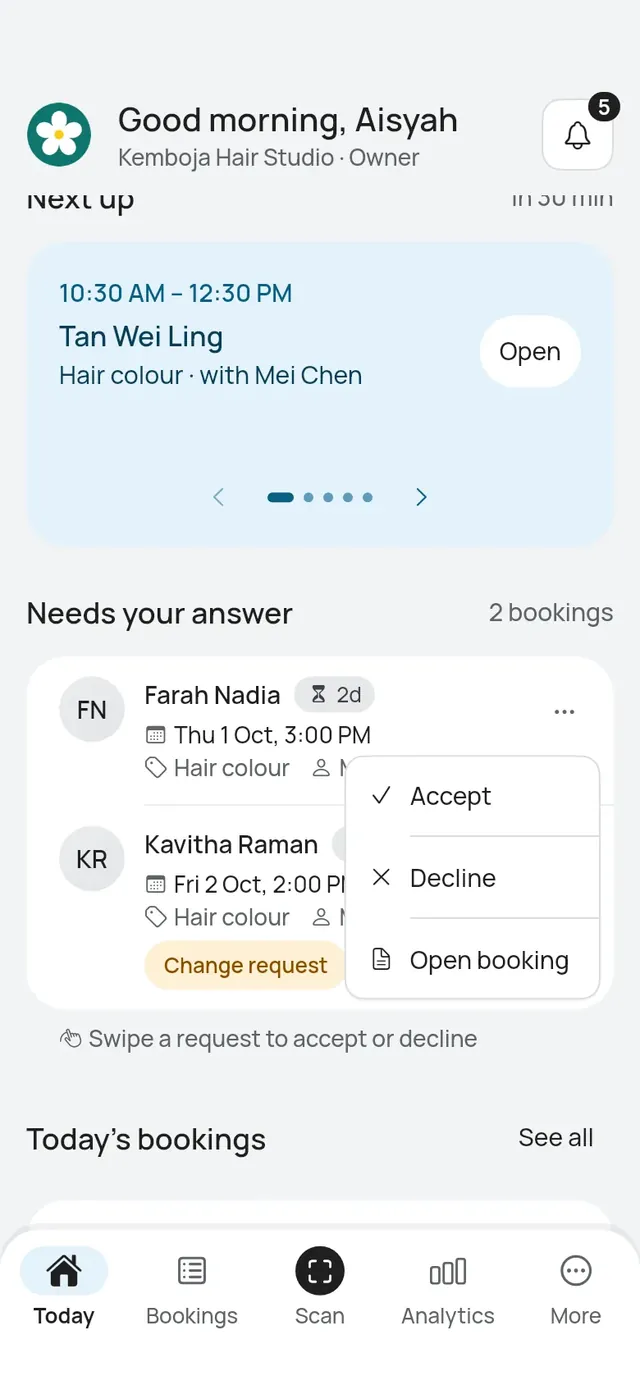
Needs your answer on Today lists the first few requests. Tap See all for the rest.
- Swipe a request to accept or decline it, or
- tap … on the request and choose Accept, Decline or Open booking.
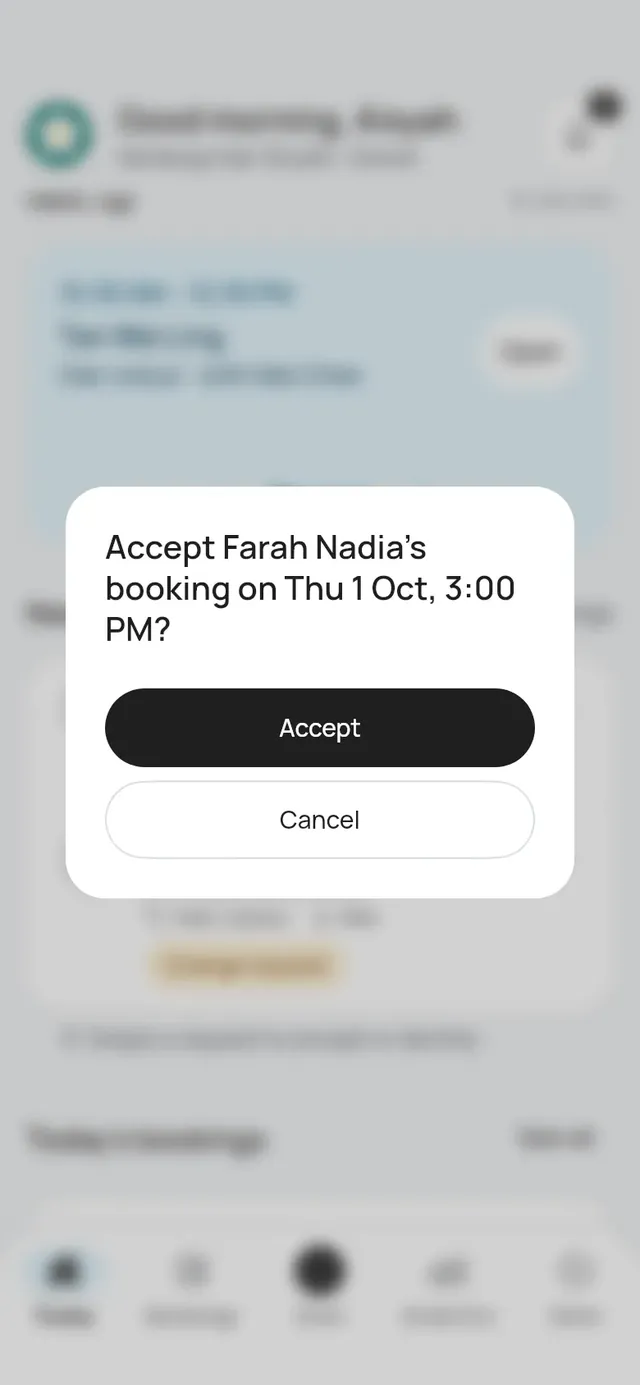
Accept asks first: “Accept Farah Nadia’s booking on Thu 1 Oct, 3:00 PM?”. Tap Accept.
Answer from the booking
Open the booking.
- For a booking request, tap Confirm. To say no, open More on the booking and tap Decline, then Yes, decline.
- For a change request, tap Approve change, or Decline change under More.
You can also Reschedule a booking request to another time before you confirm it.
A table request
For a restaurant or café, a big party’s request opens the Accept request sheet in place of the question, from Today and from the booking. There you can change the table, hold more tables and accept, all in one go. See Large parties.
What the customer hears
- Confirmed: the customer gets a confirmation by WhatsApp or SMS, and by email.
- Declined: the customer gets an email.
- A move approved: the customer gets the new time by WhatsApp or SMS, and by email.
- A move declined: the customer is told the booking stays at its original time.