Today
Who can do this: Owner, Admin, Staff
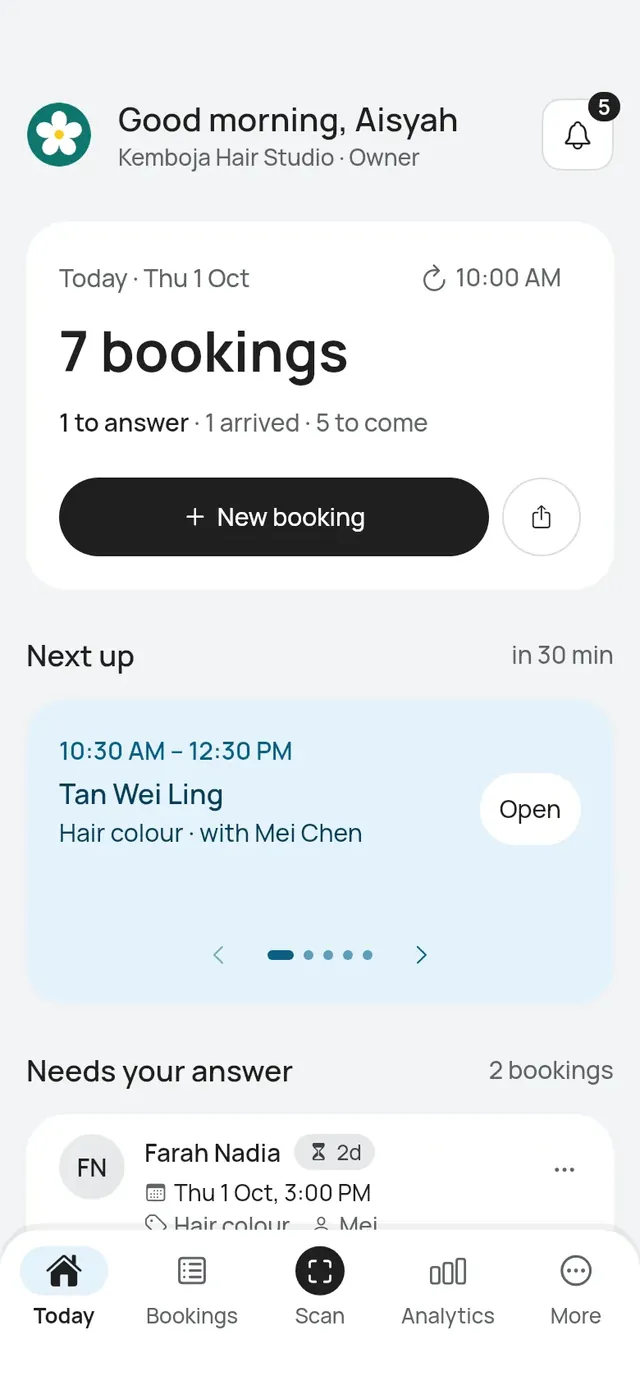
Today opens first. Staff see their own bookings. Owners and admins see everyone’s.
What is on it
- The day card: how many bookings today, then how many are to answer, arrived and to come. To answer counts every request waiting for your answer, not only today’s, so it matches Needs your answer below. Arrived and to come count today’s bookings. Under it are New booking and the share button for your booking link. A restaurant or café also has Seat walk-in (owners and admins): it is the black button, with New booking and the share button under it. See Seat a walk-in.
- Next up: the next booking, with how long until it starts. Use the arrows to see the ones after it. Tap Open to open the booking.
- Needs your answer: requests waiting for you, with how long each has waited. See Requests.
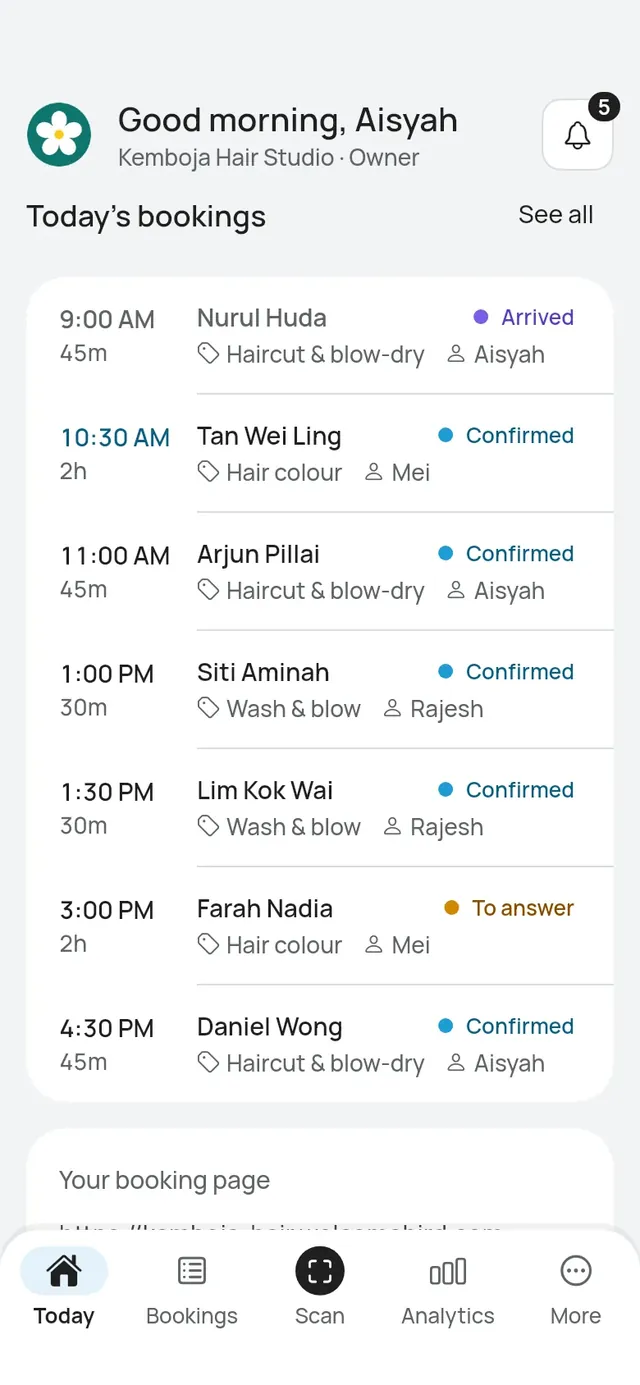
- Today’s bookings: the day’s bookings in time order with their status. Tap See all for the whole list.
- Your booking page: your link, so you can check it at a glance.
On iPad
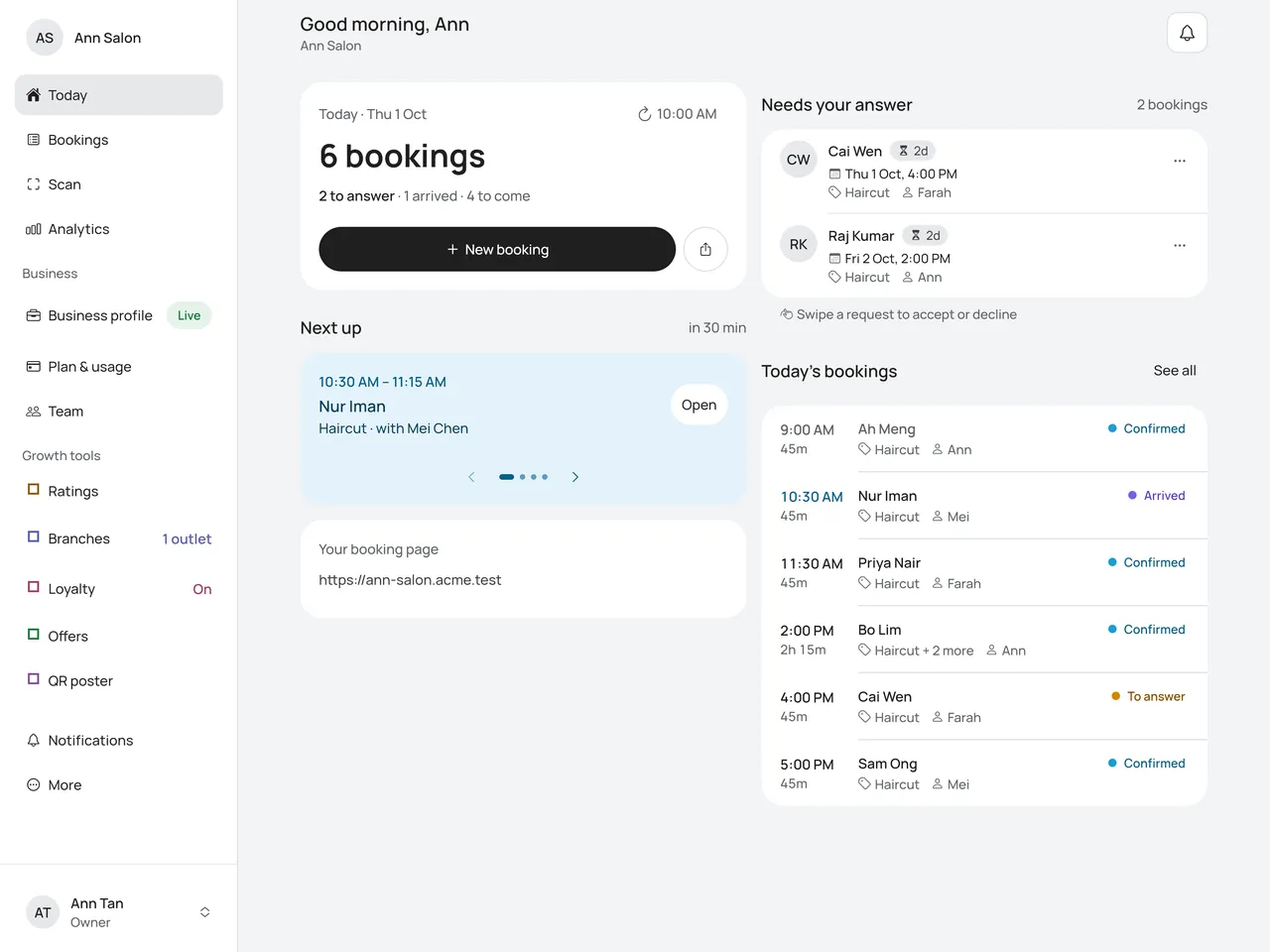
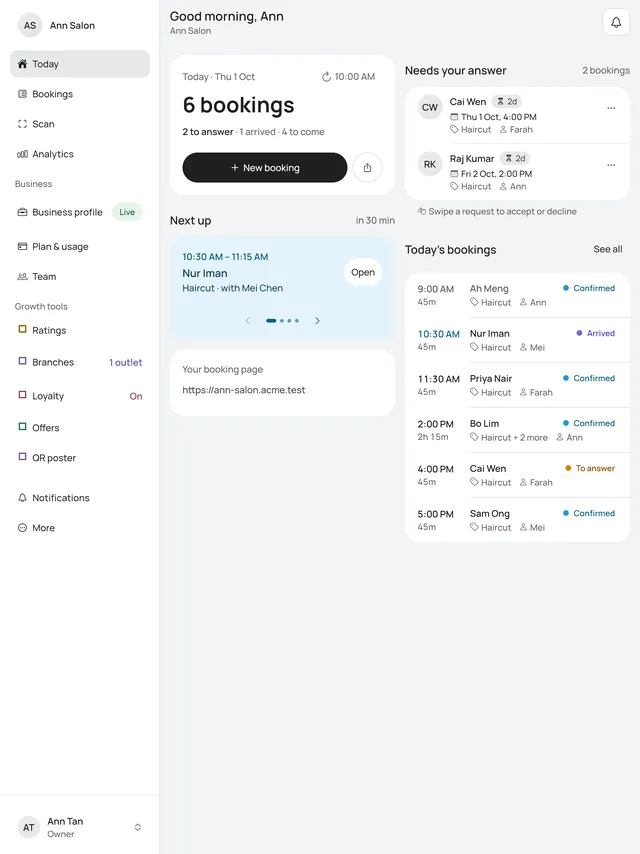
On an iPad or an Android tablet, with the app’s window wide enough, Today shows two columns. The day card, Next up and your booking page are on the left. Needs your answer and Today’s bookings are on the right. On iPad mini held upright, or with very large text, Today is one column, as on a phone. See On iPad.
Bookings of several services
A customer can book more than one service in one visit, done one after the other by the same person. Today, Next up, the lists and the calendar show it once, for the whole visit, named by its services: Haircut + Colour, or Haircut + 2 more for three.
Open it to see each service under Services: when it starts, how long it takes and its price, with when the last one ends. The offer, if there is one, says which services it took money off, then the total. The time at the top says how long the whole visit is, for example 1 hr 45 min in total.
Keep it fresh
Today updates when you open it. The time at the top shows when it last updated. Tap it to update now.
Activity
The bell at the top (owners and admins) or the Activity tab (staff) lists what happened in the last 30 days: new bookings, requests, moves, cancellations, arrivals and more. A number on the bell shows how many are new.
Bookings need a person
Who can do this: Owner, Admin
When someone on your team deletes their account, their upcoming bookings stay booked but show Former staff. Today then shows Bookings need a person with how many. A push tells you too.
- Tap Bookings need a person. The list starts with the soonest.
- Open a booking.
- Under More, tap Reschedule.
- Change With to someone else, keep or change the time, then tap Move booking.
The booking leaves the list. The customer gets a message only if the time changes.
When a business closes
If the owner closes the business, Today says This business has closed. If you belong to another business, switch to it there. The owner can restore the business within 30 days.