Add a branch
Who can do this: Owner, Admin
Open More → Branches and tap Add branch. New branch takes you through it one step at a time. Tap Next after each step, or Back to change an earlier one.
Your second branch
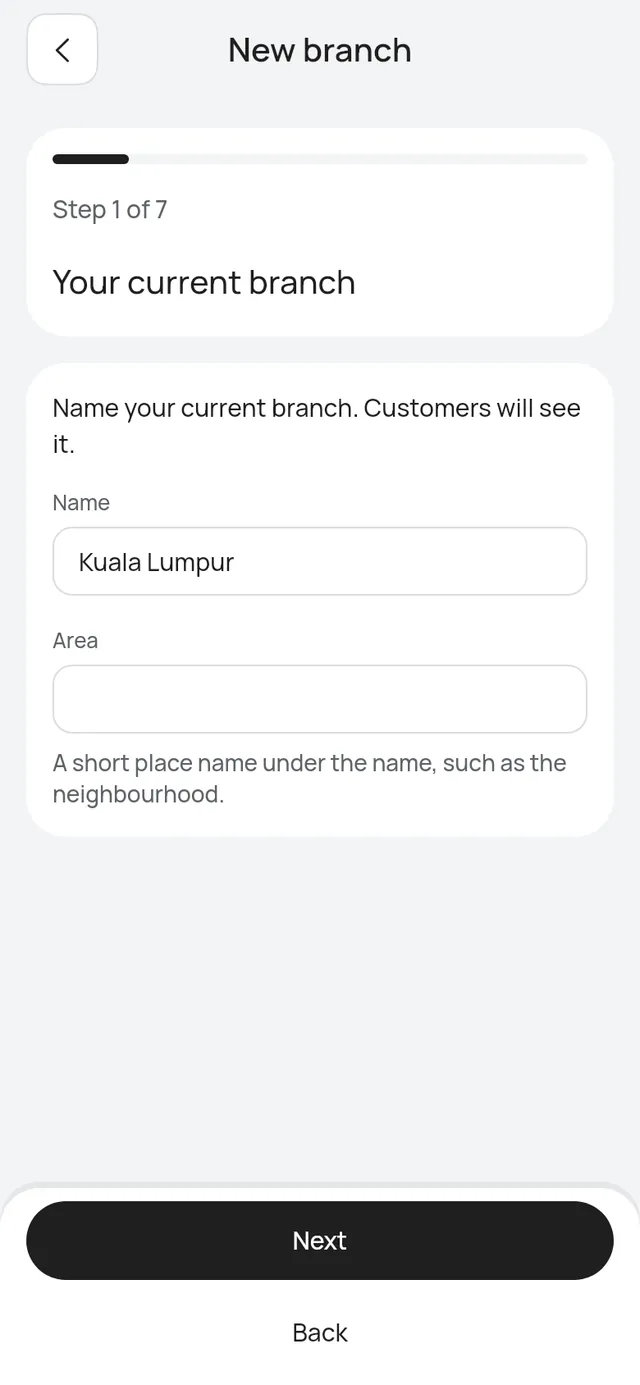
When you add your second branch, the app first asks you to name the one you have.
- Your current branch: give it a Name, and an Area if you like. Customers will see it.
- Name and link: the new branch’s name, area and Link name. As you type the link name, the branch’s whole link shows under the field, for example
https://your-shop.welcomebird.com/bangsar, then whether it is free. A link another branch or business uses shows That link is taken. in red under it. - Address: where customers come to. You can add it later.
- Public phone: shown to customers for this branch. Leave it empty to show none.
- Opening hours: Auto or Set hours. Auto: from your staff’s hours. Courts and tables use their own hours, so the app says Auto (from staff hours), Auto (from staff and court hours), Auto (from table hours), Auto (from staff and table hours) or Auto (from staff, court and table hours), naming only what your business has.
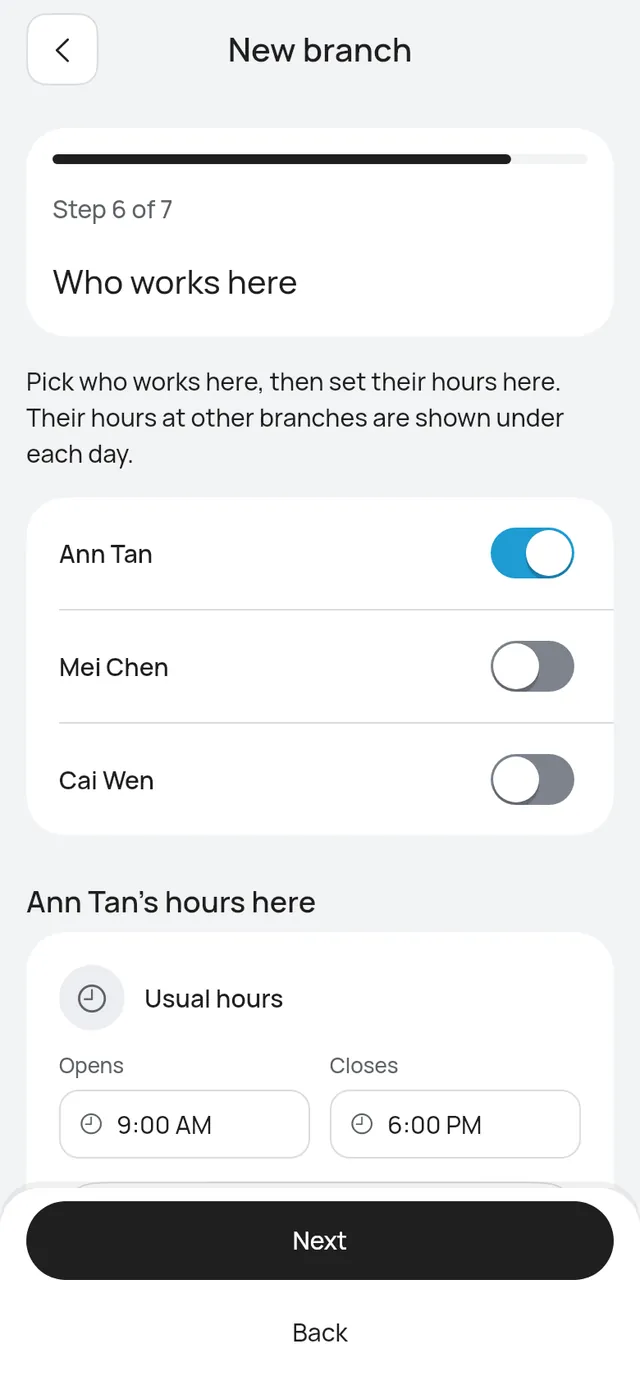
- Who works here: switch on each person who works here, then set their hours here. Their hours at other branches show under each day.
- Services here: every service is offered here at your business price. Switch off what this branch doesn’t offer.
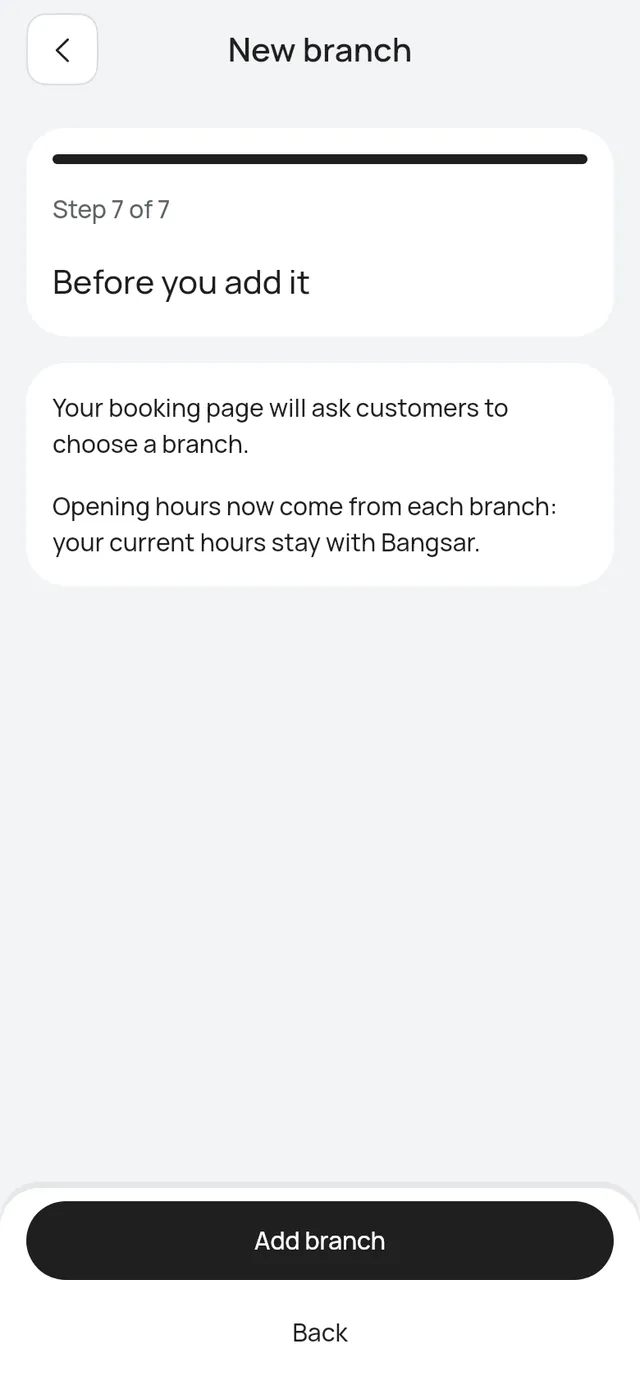
Before you add it then tells you what changes: your booking page will ask customers to choose a branch, and your current opening hours stay with your current branch. Tap Add branch.
Start taking bookings
The new branch stays paused while you set it up, so nobody books it too early. On Ready to take bookings, tap Done. The app says the branch is taking bookings.
If you leave before Done, the branch shows Not finished: continue setup on Branches. Tap it to carry on where you stopped.
A third branch and more
The steps are the same, without Your current branch and Before you add it.
When a person’s hours overlap
A person can’t be in two places at once. If their hours here overlap their hours at another branch, the app says so, for example Overlaps Mont Kiara on Tuesday 1:00 PM – 6:00 PM. Change the hours and tap Next again.