Bookings across branches
Who can do this: Owner, Admin, Staff
New booking at a branch
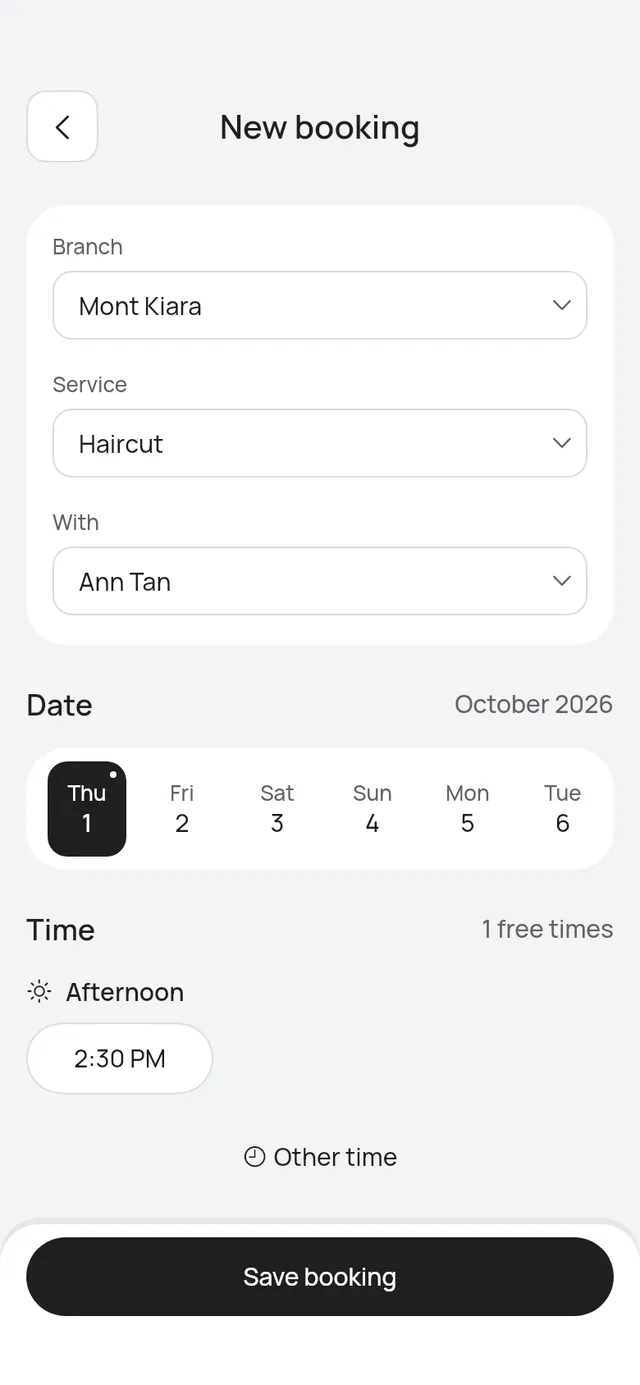
With two or more branches, New booking starts with Branch. It is already set to the branch you picked at the top. On All branches, choose one first: the app says Choose a branch to see its services and free times.
The services, people, courts, prices and free times then come from that branch. If you change the branch, choose the service, person and time again.
A paused branch shows as, for example, Mont Kiara (paused). You can still book it in the app. Staff see only the branches they work at.
Move a booking to another branch
Who can do this: Owner, Admin
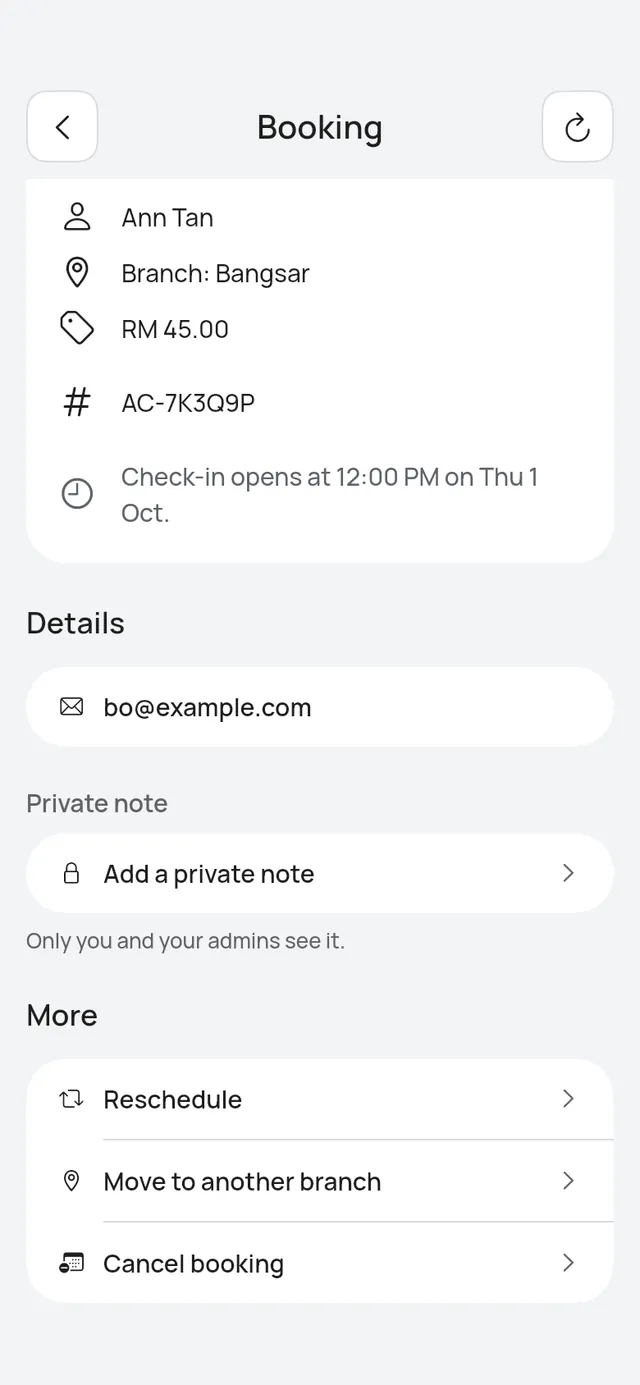
A booking shows its branch, for example Branch: Bangsar.
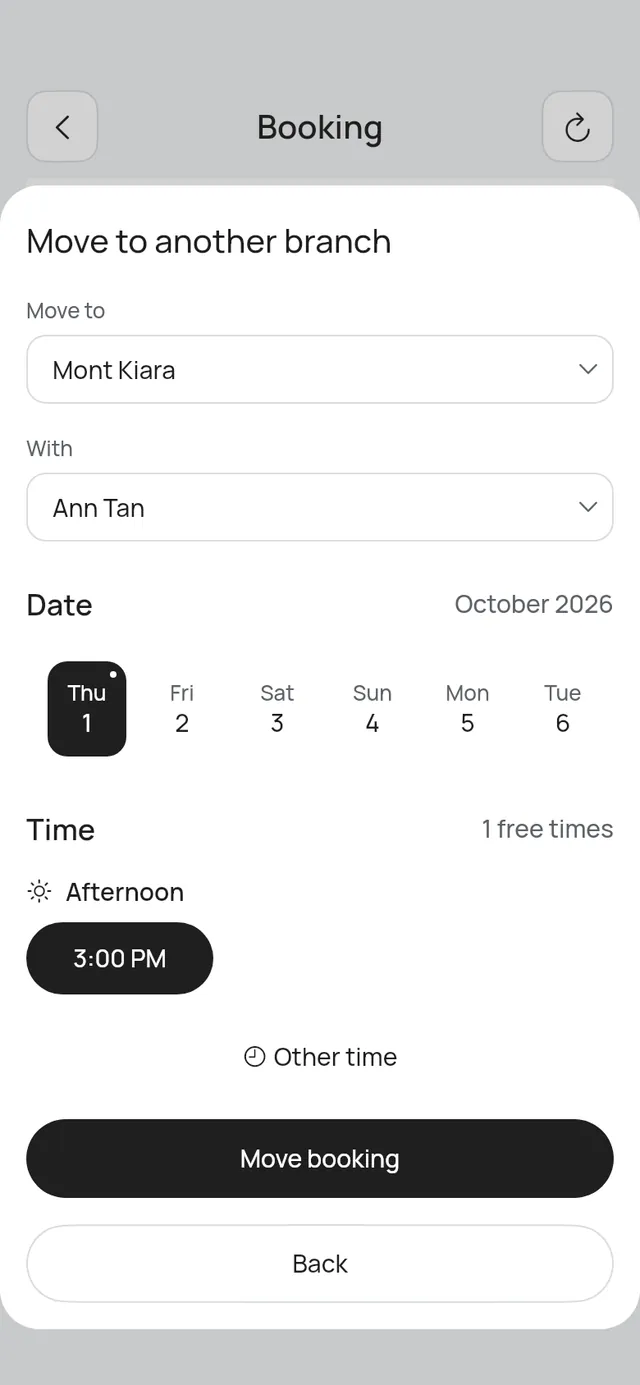
- Open the booking, scroll to More and tap Move to another branch.
- Under Move to, choose the branch. Then choose the person or court there, the day and the time.
- Tap Move booking.
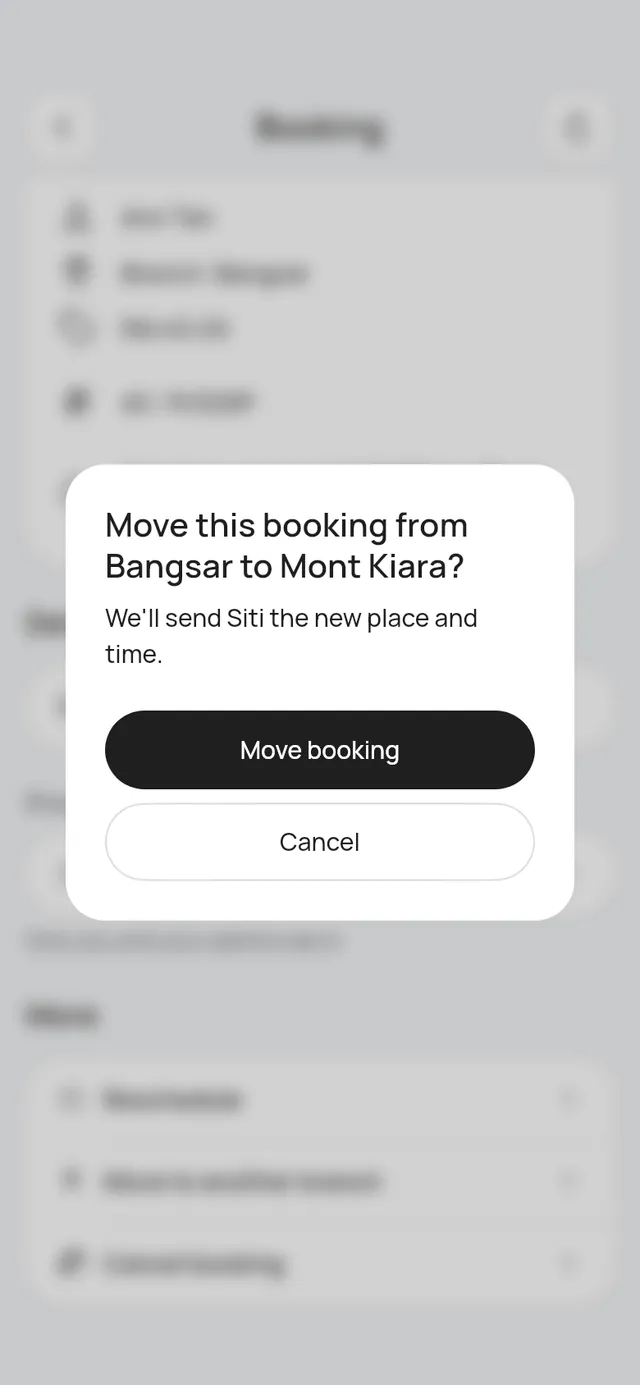
- The app asks, for example: “Move this booking from Bangsar to Mont Kiara? We’ll send Siti the new place and time.” Tap Move booking.
Only branches that are taking bookings are listed. If the move is refused, the app says why and the booking stays as it was. To move a booking within its branch, use Reschedule. See Move a booking.
Busy at another branch
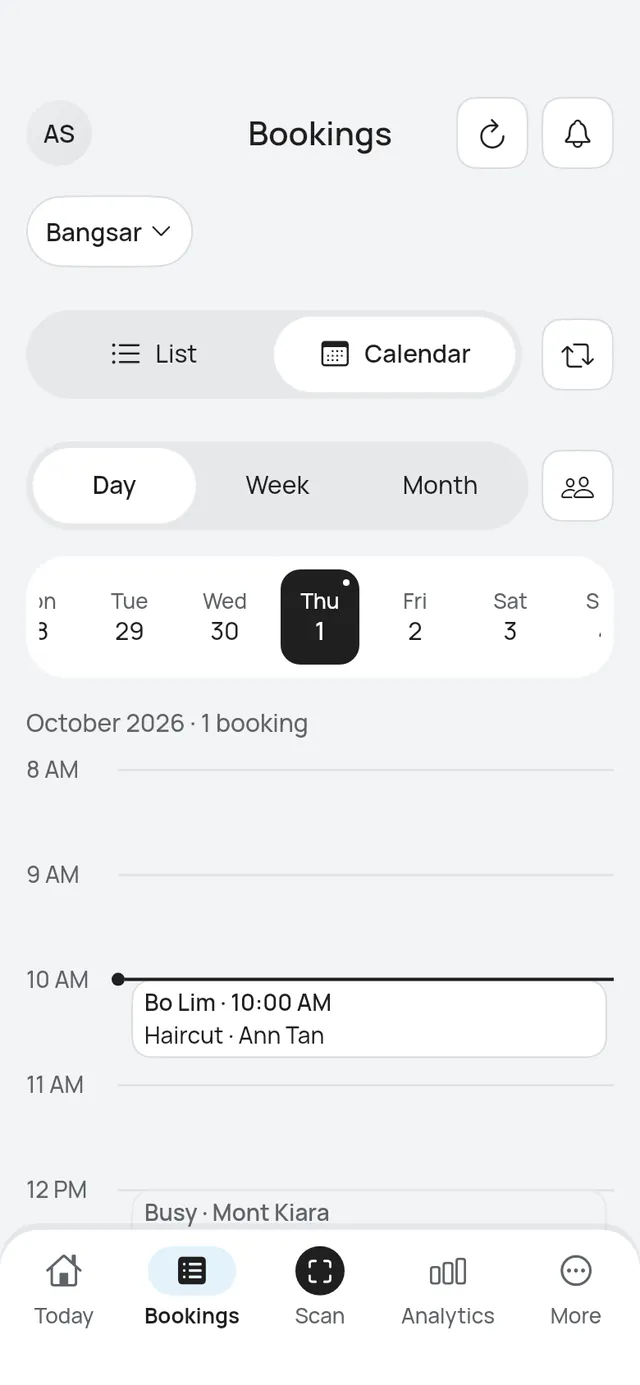
A person can work at more than one branch. With one branch picked, the calendar shows the time they are booked at another branch as a grey Busy block, for example Busy · Mont Kiara. You can’t open it, and nobody can be booked over it.
On All branches, every booking in the calendar names its branch instead.
Start now and Mark as arrived
Start bookings early works at every branch, with your business’s setting.
- Mark as arrived works for a booking later today at any branch, also at a paused one. The booking keeps its time and its branch.
- Start now keeps the booking at its branch. A paused branch refuses it: the app says This branch isn’t taking bookings right now.
Analytics by branch
Who can do this: Owner, Admin
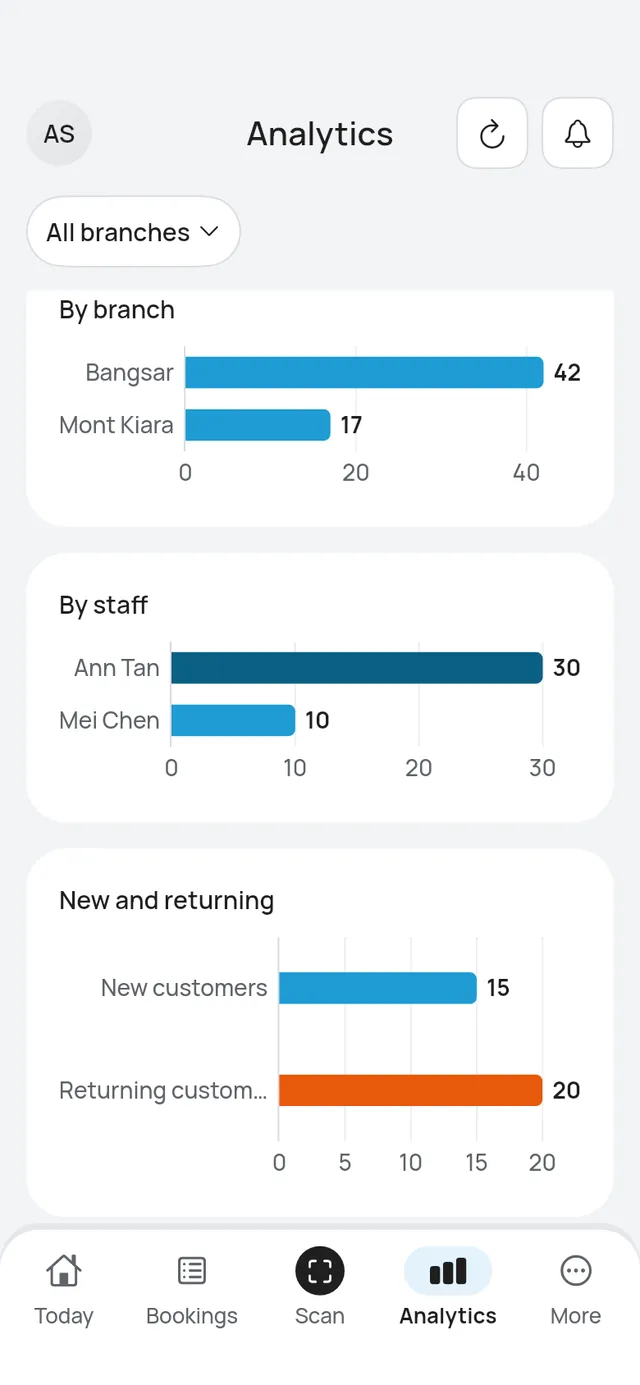
On Analytics, choose a branch at the top to see only its figures. On All branches, By branch shows how many bookings each branch had, above By staff. Busiest days marks a day Closed only when the branch you picked, or every branch, is closed that day.
At a restaurant or café, Covers sits beside Bookings: the people seated, from confirmed and finished table bookings (walk-ins too). Earned shows under them only when something was earned. By table shows how many bookings each table had, in place of a Top services bar for tables. Both follow the branch you pick.