Manage, reschedule and cancel
Who can do this: Your customers
Customers open their booking from Manage booking in their email or WhatsApp message, or from Find my booking. To change it, they confirm their phone with a 6-digit code.
- 1Choose
Service, person, day and time
- Service
- Staff
- Date & time
Anyone available shows the most times. No Staff step when your shop chooses the person.
- 2Your details
Name, mobile number and email
The time is held for 10 minutes.
- 3Confirm
The 6-digit code from a text
Then Confirm booking.
- 5ManageThis page
Reschedule or cancel
Until 24 hours before, by default.
- CancelledThe customer cancels
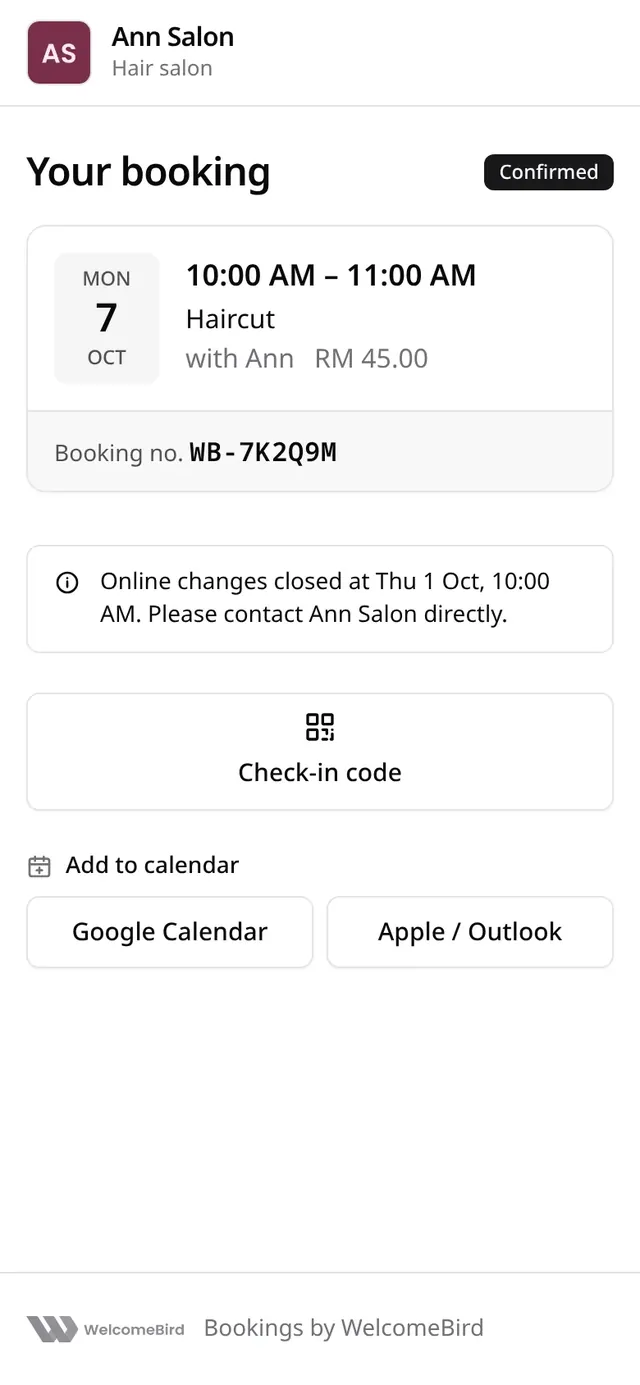
- Changes closedAfter the cut-off
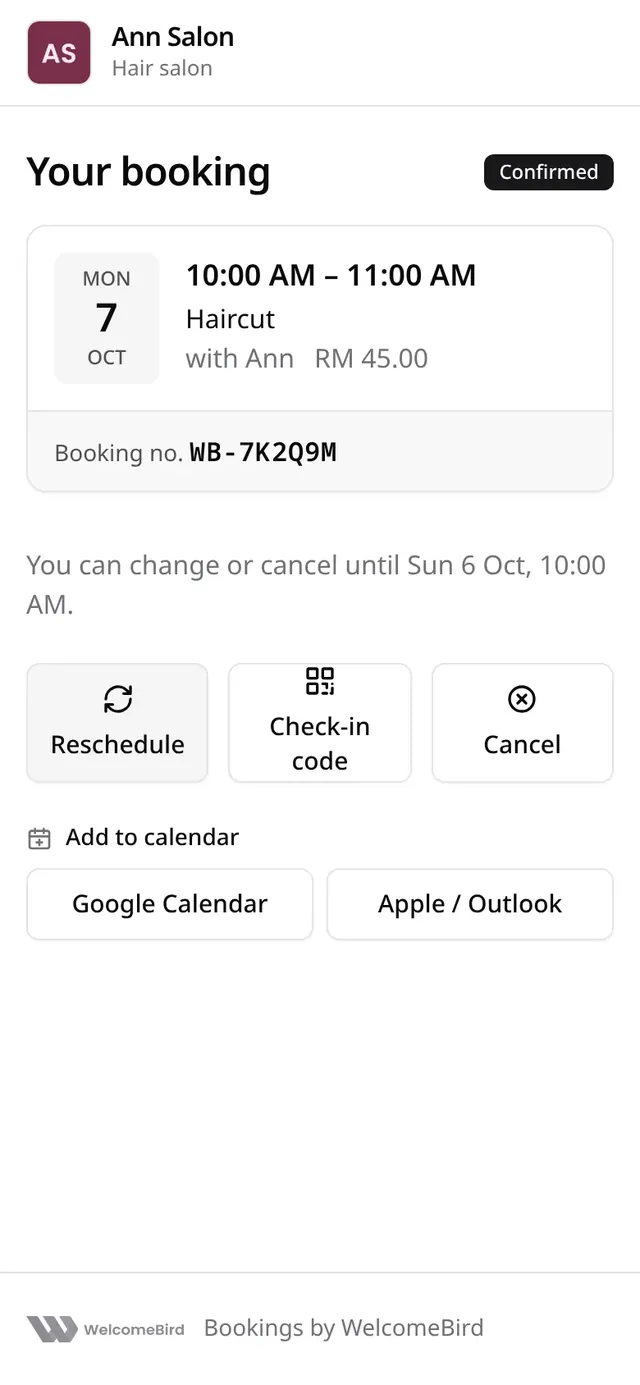
Your booking shows the time, the service, who does it and the booking number, with:
- Reschedule: pick a new time.
- Check-in code: the code to show when they arrive.
- Cancel: cancel the booking.
- Add to calendar.
A table booking
A table booking shows Table for 4, the day and time, how long the table is kept (the Length row, for example 2 hr), the branch and the tags. The table itself is never named.
- Reschedule keeps the same party. There is no choice of table: the restaurant’s best free table for that party is held.
- A large party’s move is a request (7 or more unless you change Parties that need your OK), even when the restaurant confirms other bookings straight away. The booking stays at its time until the restaurant answers.
- To change the number of people, the customer cancels and books again, or contacts the restaurant. The page says so.
A booking of several services
A booking of several services is named by its services, for example Haircut + Colour. Under the time it lists each service with its start, length and price, then the offer and the total. See Several services in one booking.
Until when
The page says You can change or cancel until and a time. By default that is 24 hours before the booking. After that it says Online changes closed and asks the customer to contact you directly.
Reschedule
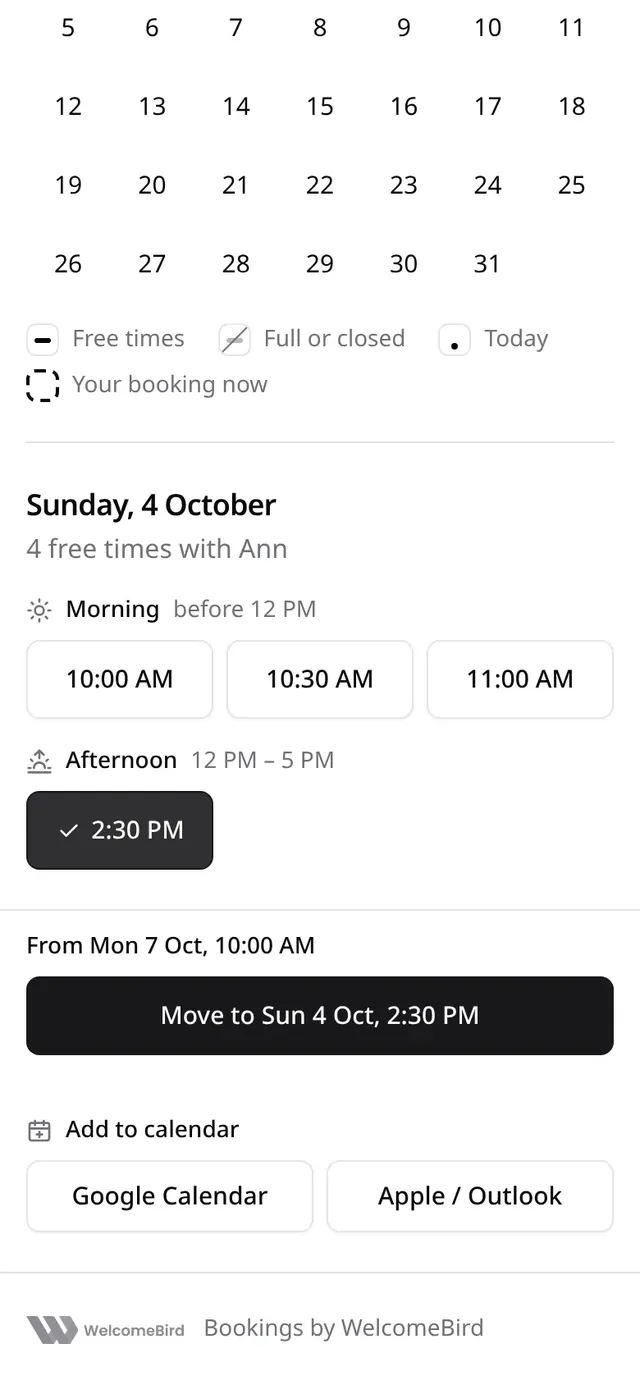
- They tap Reschedule and pick a new day and time. The booking stays as it is until they confirm.
- They tap Move to and the new time.
- Move your booking? shows the old and the new time. They tap Move booking.
A booking of several services moves as one: every service keeps its order and its length, and Move your booking? says Your 2 services move together. The people offered are the ones who do every service. To change the services, the customer cancels and books again.
If your business approves moves, the move becomes a request. The page says you must accept the new time, and the booking stays at its time until you answer. See Requests.
To change branch, a customer cancels and books again.
Cancel
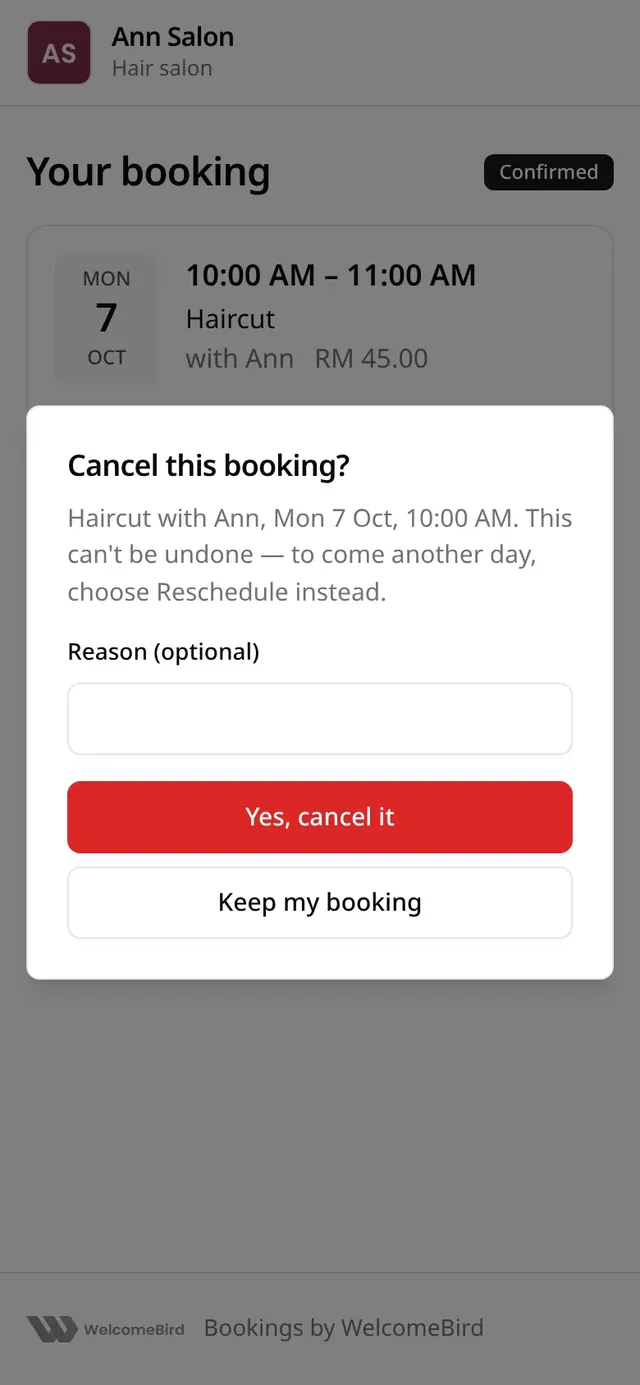
They tap Cancel, add a reason if they like, and tap Yes, cancel it. A booking of several services is cancelled as one. They get an email. You see it in Activity, and the business gets an email.
A link keeps working until 30 days after the booking ends.