On iPad
Who can do this: Owner, Admin, Staff
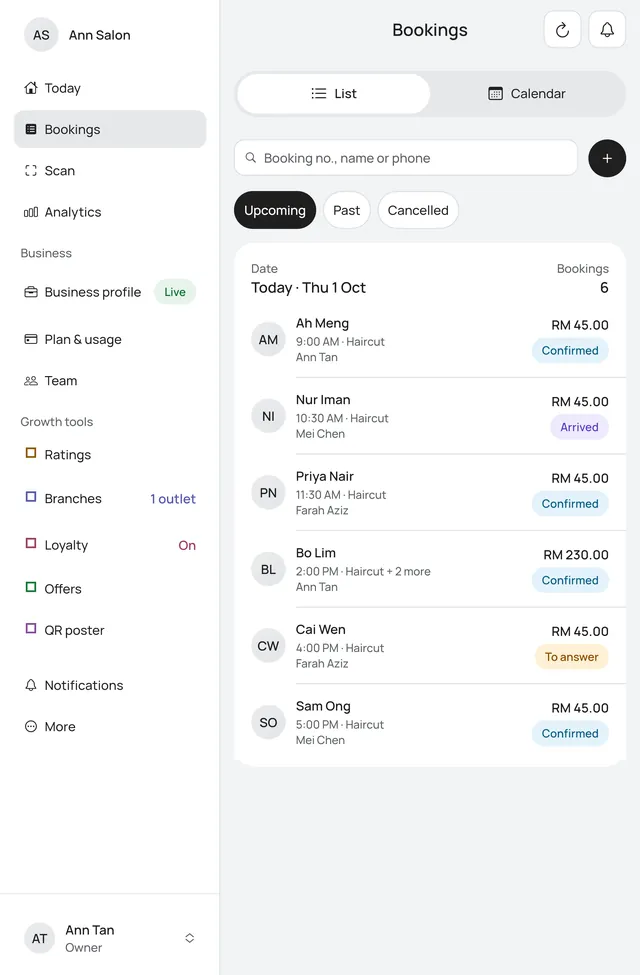
The app works on iPad as well as on a phone. On a big screen it uses the room: a sidebar in place of the bottom bar, and lists with the item open beside them. An Android tablet works the same way.
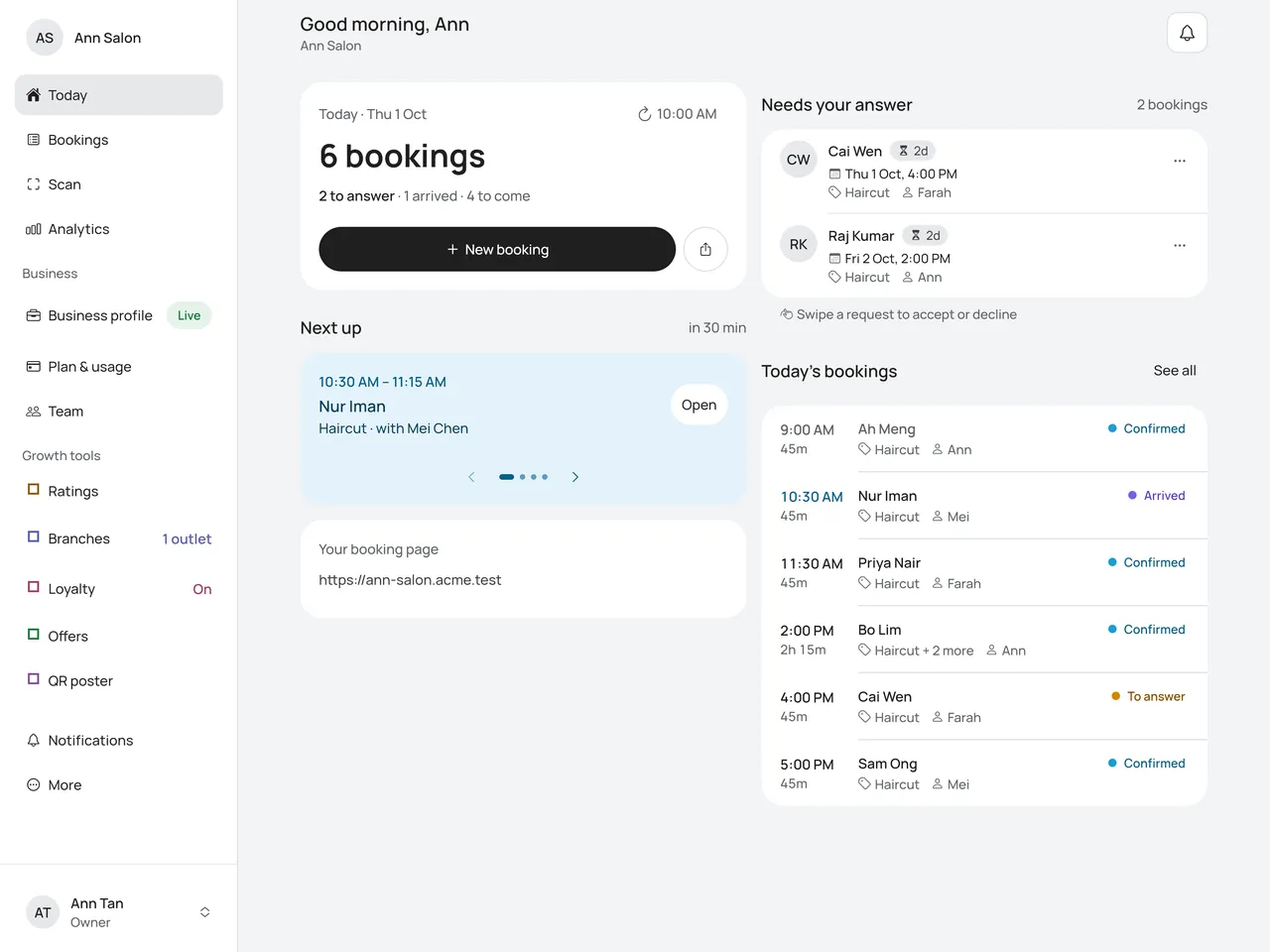
When the sidebar shows
The sidebar shows on a tablet (an iPad or an Android tablet) when the app’s window is 700 points wide or more. That is every iPad with the app full screen, upright or on its side, and most Split View sizes.
In a narrow window the app looks as it does on a phone, with the bar at the bottom. That happens in Slide Over and in a narrow Split View. A phone looks as it always has, either way up, with the bar at the bottom. Drag the divider to make the app wider and the sidebar comes back. What you had open stays open: a booking or a member open beside its list shows on its own in a narrow window, with Back to the list.
What is in the sidebar
Your business is at the top. Under it are the same tabs as the phone’s bottom bar, then what More lists for you.
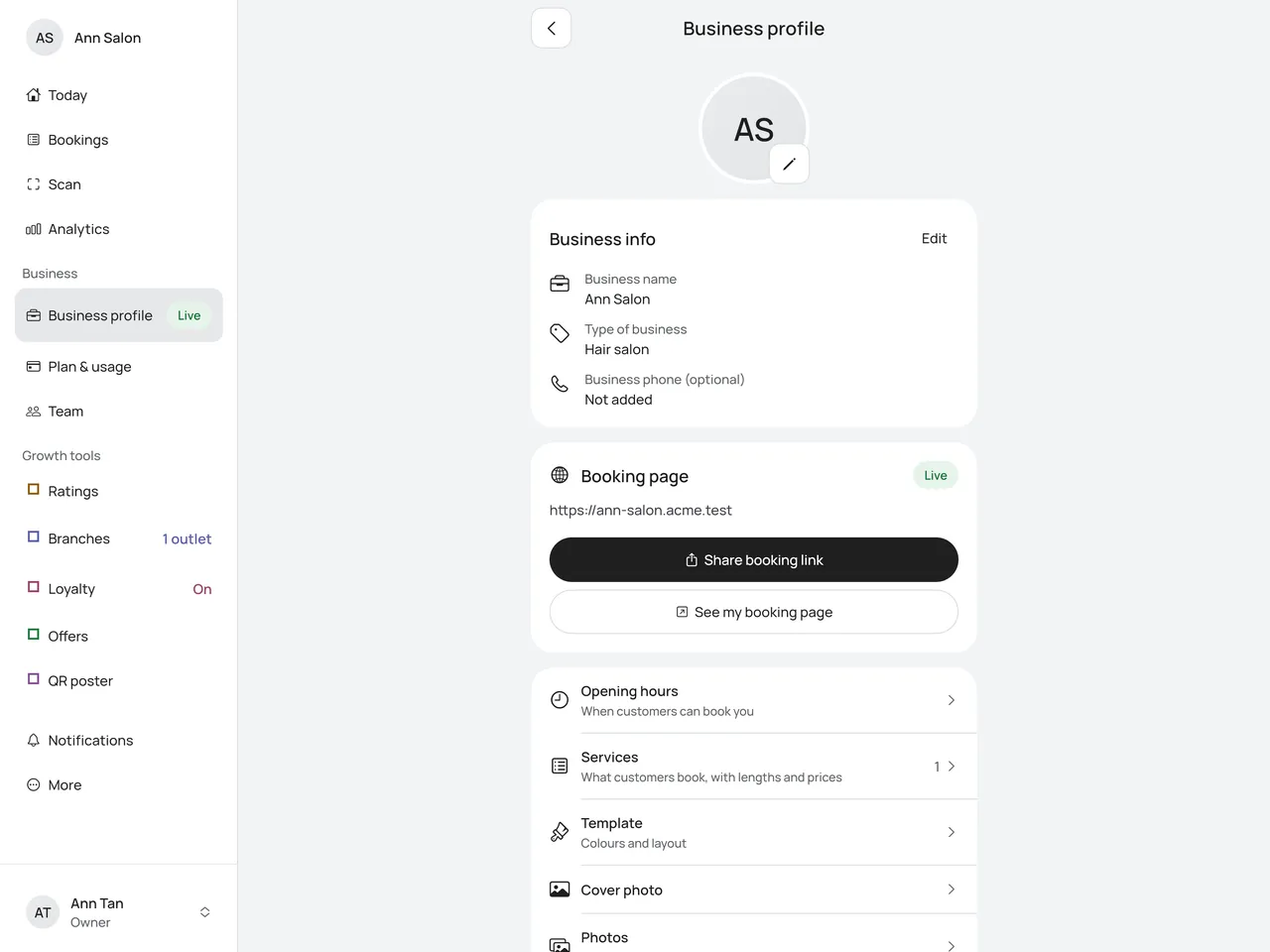
- Owners and admins: Today, Bookings, Scan and Analytics. Then Business (Business profile, Plan & usage for owners, Team, and Courts or Tables if you have them) and Growth tools (Ratings, Branches if your plan allows more than one branch, Loyalty, Offers and QR poster; Loyalty and Offers show Coming soon for now). Then Notifications and More.
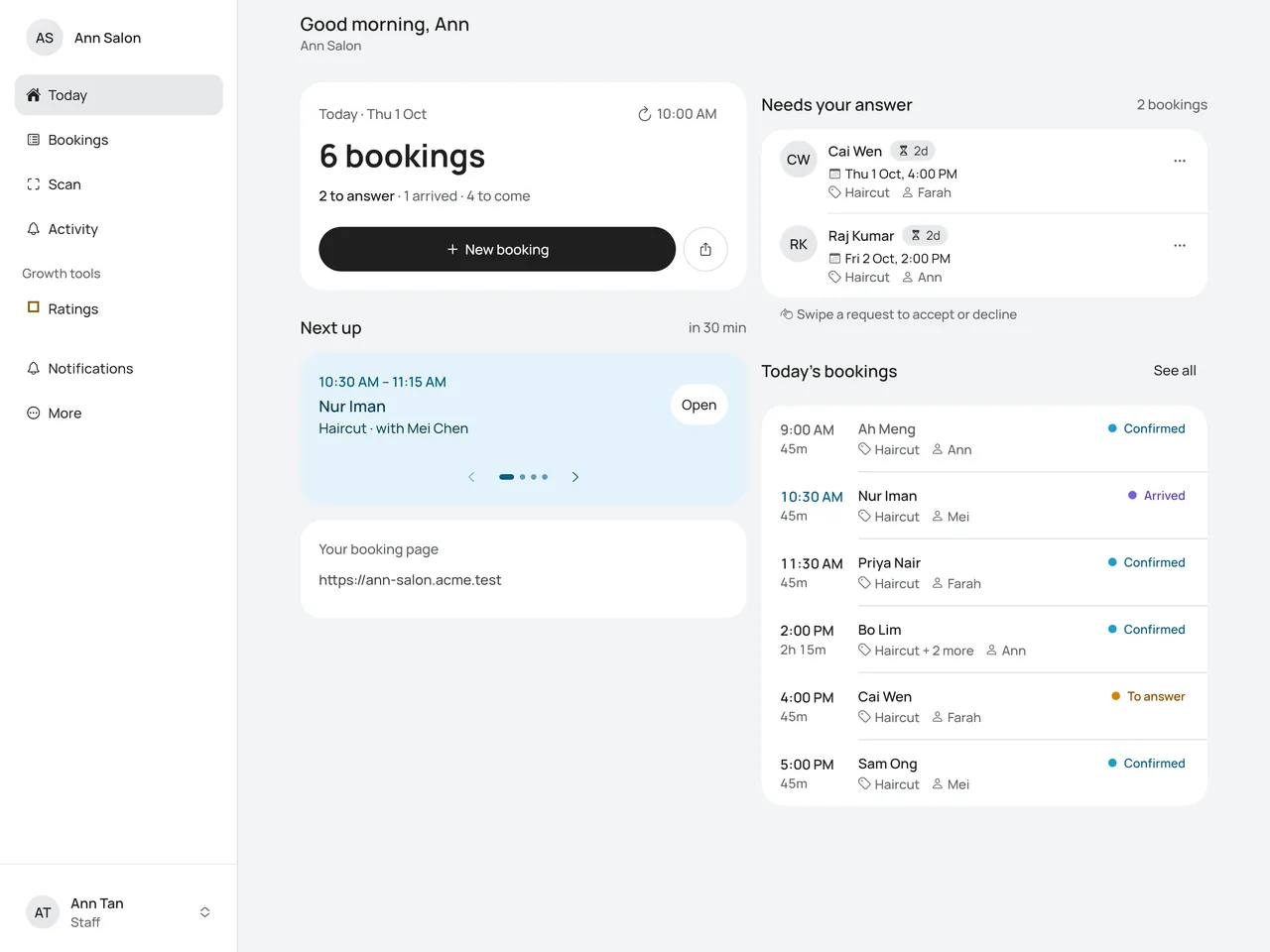
- Staff: Today, Bookings, Scan and Activity, with a number for what is new. Then what More shows staff, Notifications and More.
The screen you are on is shaded. A screen you open from the sidebar has Back at the top, which takes you to More.
Your name and role are at the bottom. Tap them to open the same account sheet as the picture at the top of a phone: your Account page, Log out, and any other business you belong to.
Lists side by side
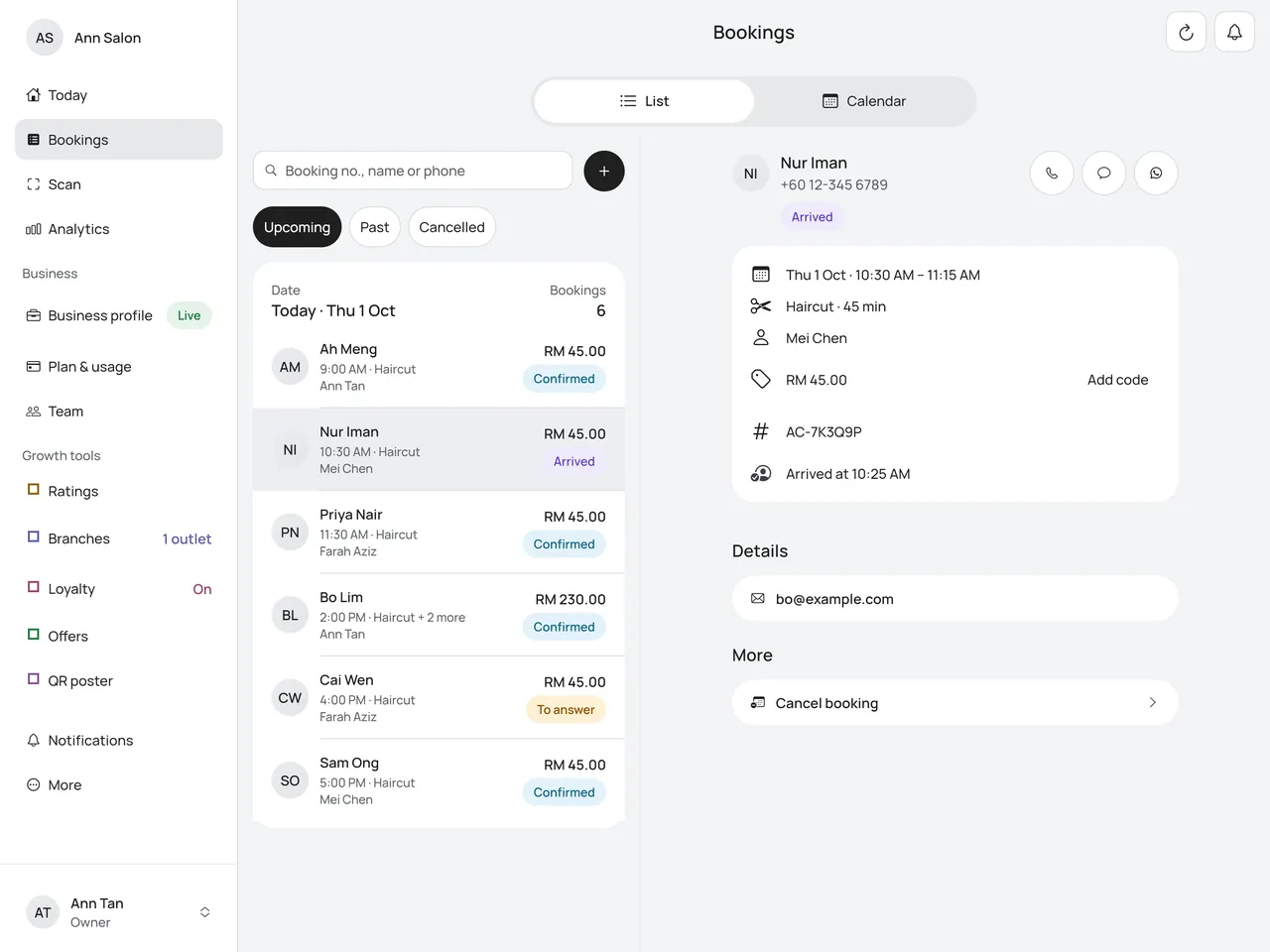
When there is room, Bookings and Loyalty → Members show the list on the left and one item on the right.
- Bookings opens your next booking on the right. Tap another booking to see it there instead. See Calendar.
- Members shows Pick a member to see them here. until you tap one. See Members and adjusting points.
On iPad mini held upright, lists show one at a time, as on a phone. Tap an item to open it, and Back to return to the list.
Today and the Calendar
Today shows two columns: the day card and Next up on the left, Needs your answer and Today’s bookings on the right. See Today.
The Calendar uses the whole width. In Day, Everyone shows one column for each person, or each court. See Calendar.
Large text
With large text, the sidebar’s words wrap onto two lines instead of being cut. With very large text, Today goes back to one column.