Members and adjusting points
Who can do this: Owner, Admin
Every customer becomes a member when you mark their first visit Done. Open More → Loyalty → Members.
The list
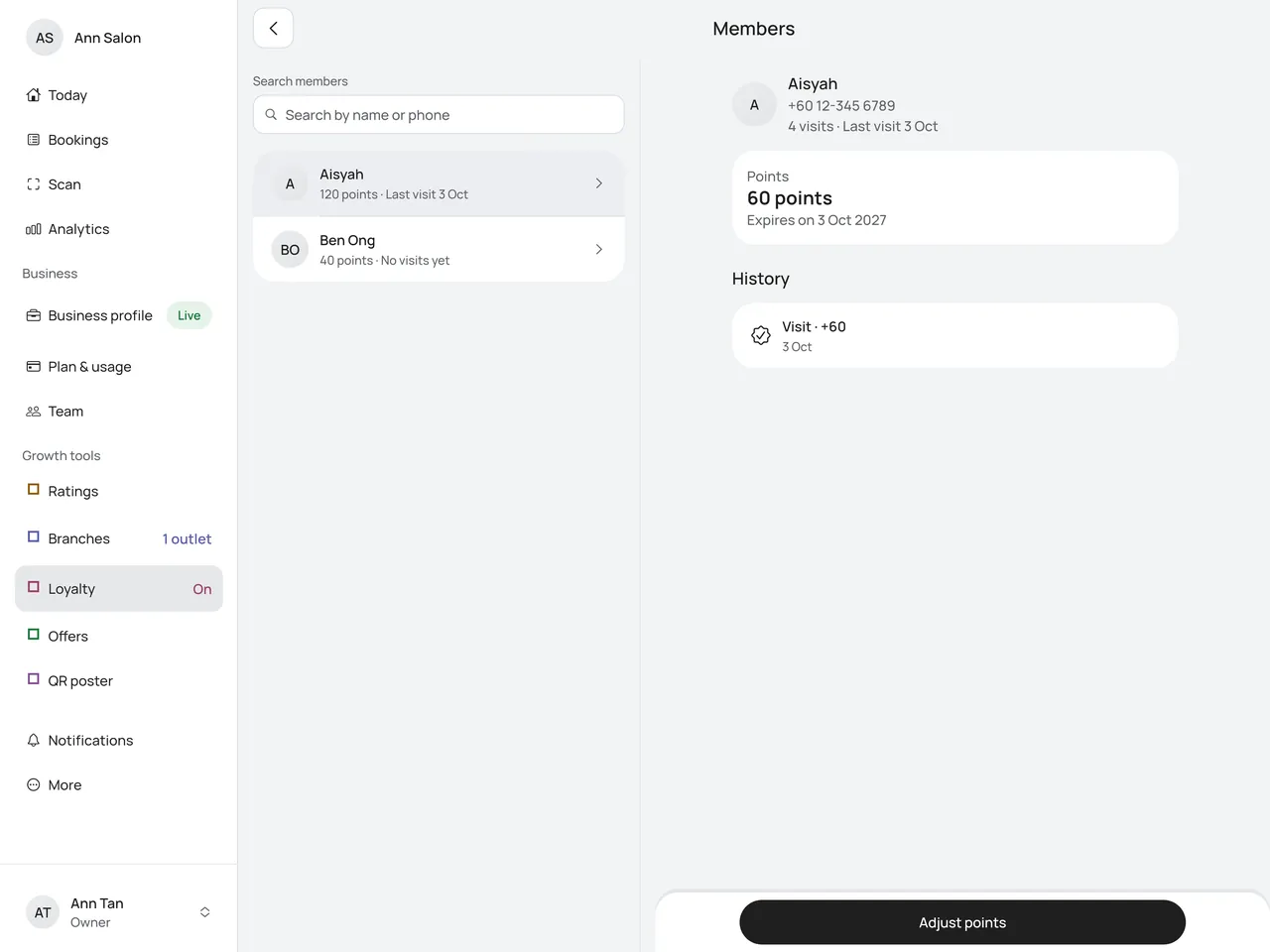
Members are listed with the most points first, for example Aisyah · 120 points · Last visit 3 Oct. Tap Show more at the bottom to see more.
To find someone, type a name or phone number in Search members and tap the keyboard’s search key. If the customer has no points yet, the app says No member matches. Clear the search to see the list again.
One member
Tap a member to see:
- their visits and the last one;
- their points and the day they expire if they don’t visit again. With A separate balance per branch, there is one balance for each branch. See Points across branches;
- the History, newest first: each visit, each adjustment with its reason, points that expired and points taken back. A line such as Visit undone · -20 (40 had been used) means you undid Done on a visit after the customer had already used some of its points.
On iPad
On an iPad or an Android tablet, with the app’s window wide enough, the list and one member sit side by side. The right side says Pick a member to see them here. until you tap someone. The member opens beside the list, and their row is shaded. Tap another member to see them instead. Adjust points is at the bottom of the member’s side. Back closes the member and keeps the list as it was.
On iPad mini held upright, a member opens on their own screen, as on a phone. See On iPad.
Adjust points
Use this to fix a mistake or give a gift.
- Open the member and tap Adjust points.
- Choose Add or Remove.
- With a separate balance per branch, choose the branch.
- Type the Points and the Reason. A reason is required. Only your team sees it; the customer sees Adjusted by the shop.
- Tap Save. It saves at once, with no second question.
You can’t remove more points than the customer has. The app says, for example, That is more than the 60 points this customer has.
Adjustments show in Reports under Points adjusted. They don’t change when points expire: only a visit does.