Push notifications
Who can do this: Owner, Admin, Staff
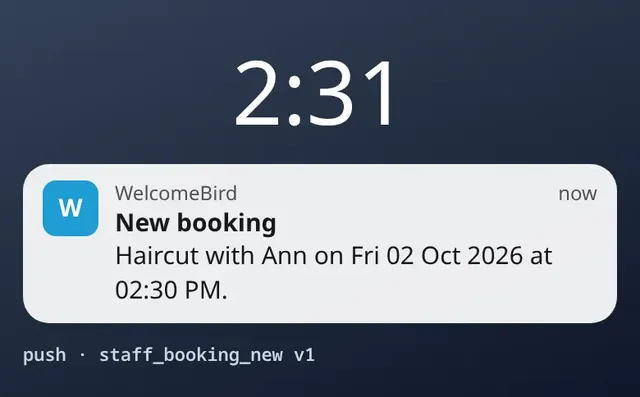
Push notifications tell you the moment someone books, asks for a change or cancels.
- Owners and admins hear about every booking in the business.
- Staff hear about their own bookings.
If you belong to more than one business, your phone gets the notifications of all of them.
Turn them on
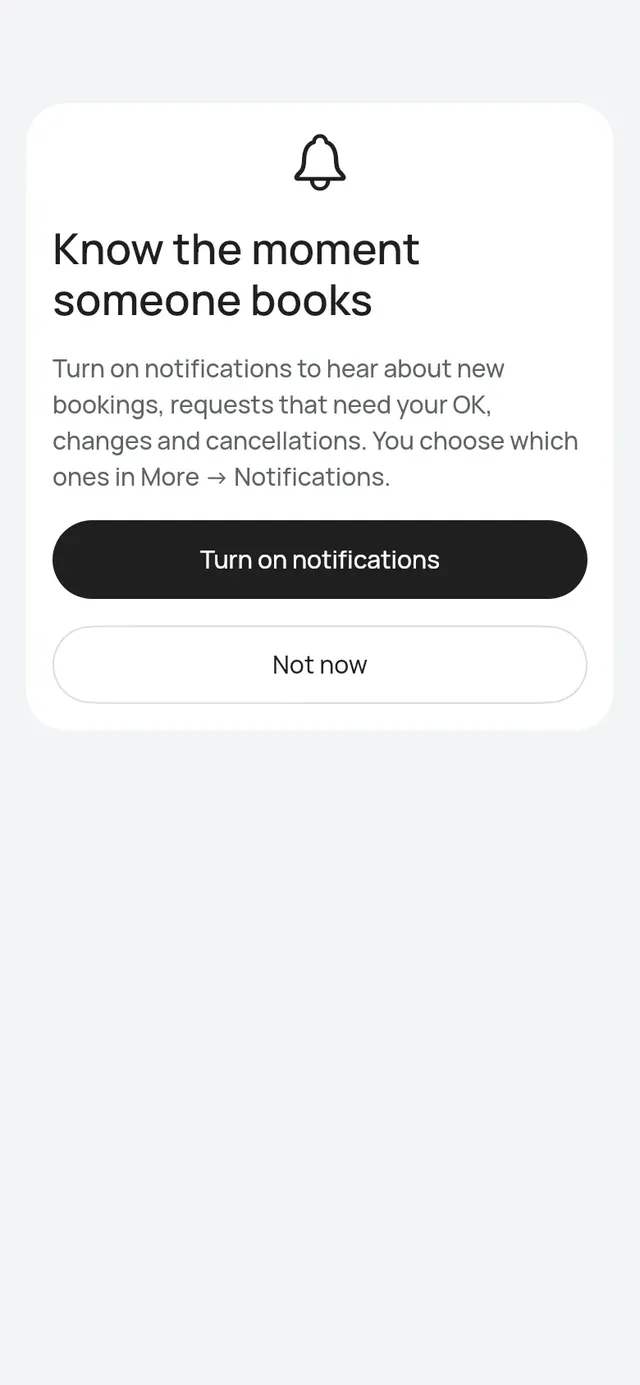
The first time, the app shows Know the moment someone books. Tap Turn on notifications and allow them when your phone asks. Tap Not now to decide later.
Choose which ones
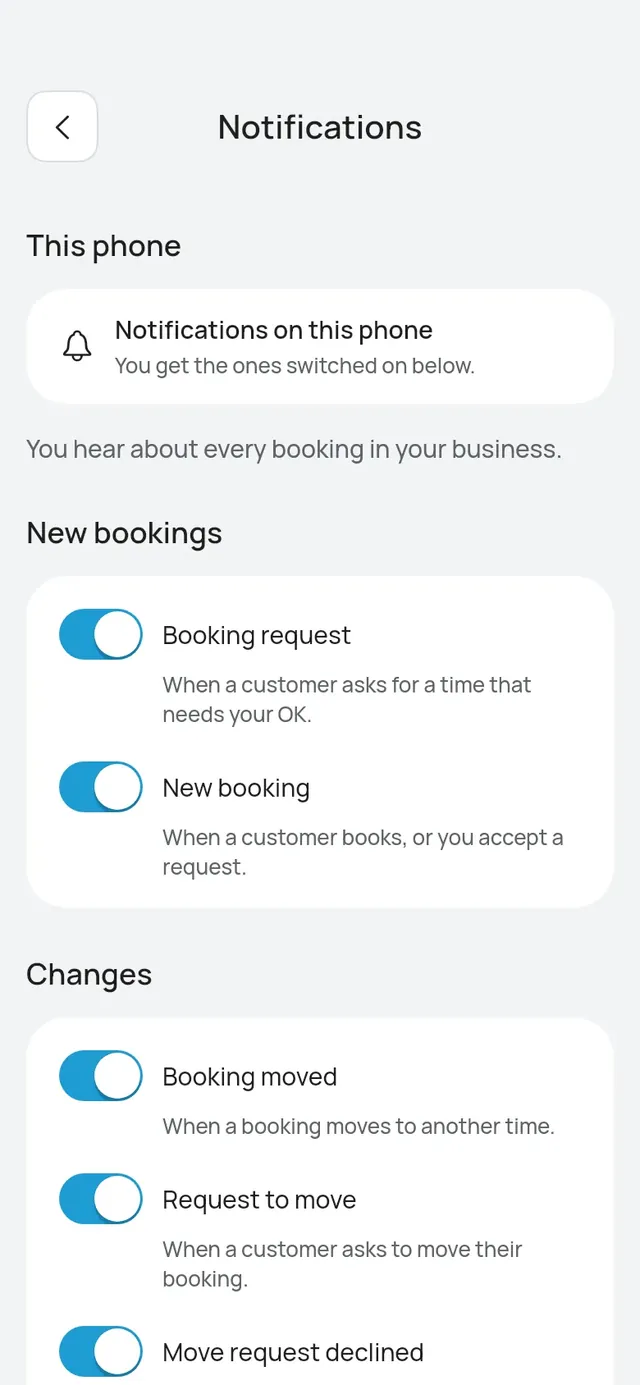
Open More → Notifications. This phone shows whether this phone gets them. Under it, switch each kind on or off:
- Your day: Morning summary.
- New bookings: Booking request, New booking.
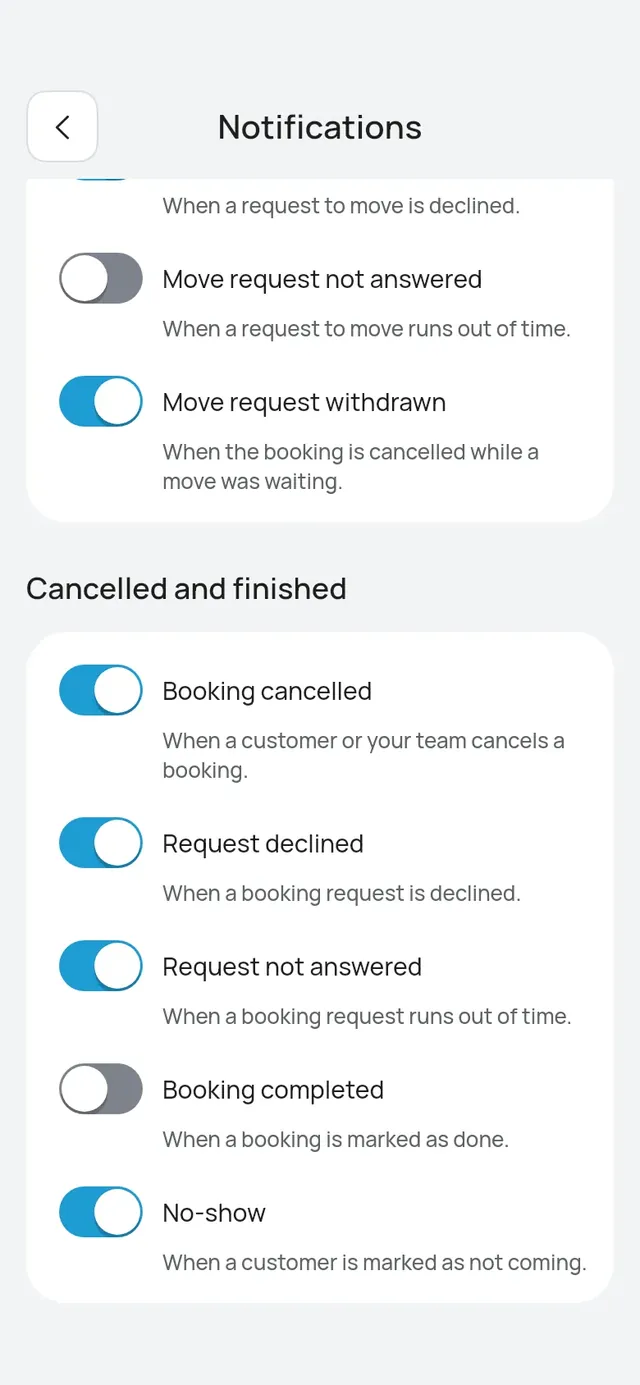
- Changes: Booking moved, Request to move, Move request declined, Move request not answered, Move request withdrawn.
- Cancelled and finished: Booking cancelled, Request declined, Request not answered, Booking completed, No-show.
- Ratings (owners and admins): Low rating, when a customer gives 1 to 3 stars.
- Loyalty (owners and admins): Amounts to confirm, after closing, when visits still need the amount paid. It starts off. See Amount paid.
- Your plan (the owner only): Trial ending soon, Trial ended, Online bookings at 80%, Online bookings at the limit, Customer messages at 80%, Customer messages used up.
All are on at first, except Booking completed and No-show. Your choices apply to every phone you use the app on.
Tap a Your plan notification to open More → Plan & usage.
Tap a Low rating notification to open that rating. Tap Amounts to confirm to open Confirm amounts.
If you belong to more than one business, a tap on another business’s notification switches the app to that business first, then opens it.
Morning summary
Who can do this: Owner, Admin, Staff
The morning summary comes 30 minutes before each branch opens. A branch with no opening hours set gets it at 8:00 AM. On a day the branch is closed, nothing comes.
- Owners and admins get one for each branch: how many bookings there are today, how many requests need your answer, and the first booking, for example “12 bookings today” and “First: Nurul at 9:00 AM, Haircut with Aisyah.” When nothing is booked yet, it says “No bookings yet today” and reminds you to share your booking link.
- Staff get one a day with their own bookings, for example “You have 2 bookings today” and “Your first: Nurul at 9:00 AM, Haircut.” It is one a day even when they work at more than one branch. Staff with nothing booked that day get none.
Only the customer’s first name is shown. Tap the summary to open Today. For owners and admins, Today opens with that branch picked; staff see their Today as usual, with no branch picked. When a request waits, Today scrolls to Needs your answer.
To turn it off, open More → Notifications → Your day and switch off Morning summary.
When this phone shows something else
- Notifications are off in your phone’s settings: tap it to open your phone’s settings and allow them.
- This phone gets someone else’s notifications: one phone shows one person’s notifications. Tap it, then Use this phone. Their notifications stop on this phone and yours start.
- Not set up yet: the app tries again when you are online. Tap it to try now.
In a web browser, notifications don’t show. You can still choose them there.